Getting Started with ESEER
ESEER has two main creation workflows. Extended Wallpaper animates one source image; 3D Scene builds a layered parallax composition and can import several ordered layer images in one pass.
Choose the editor that matches the source artwork
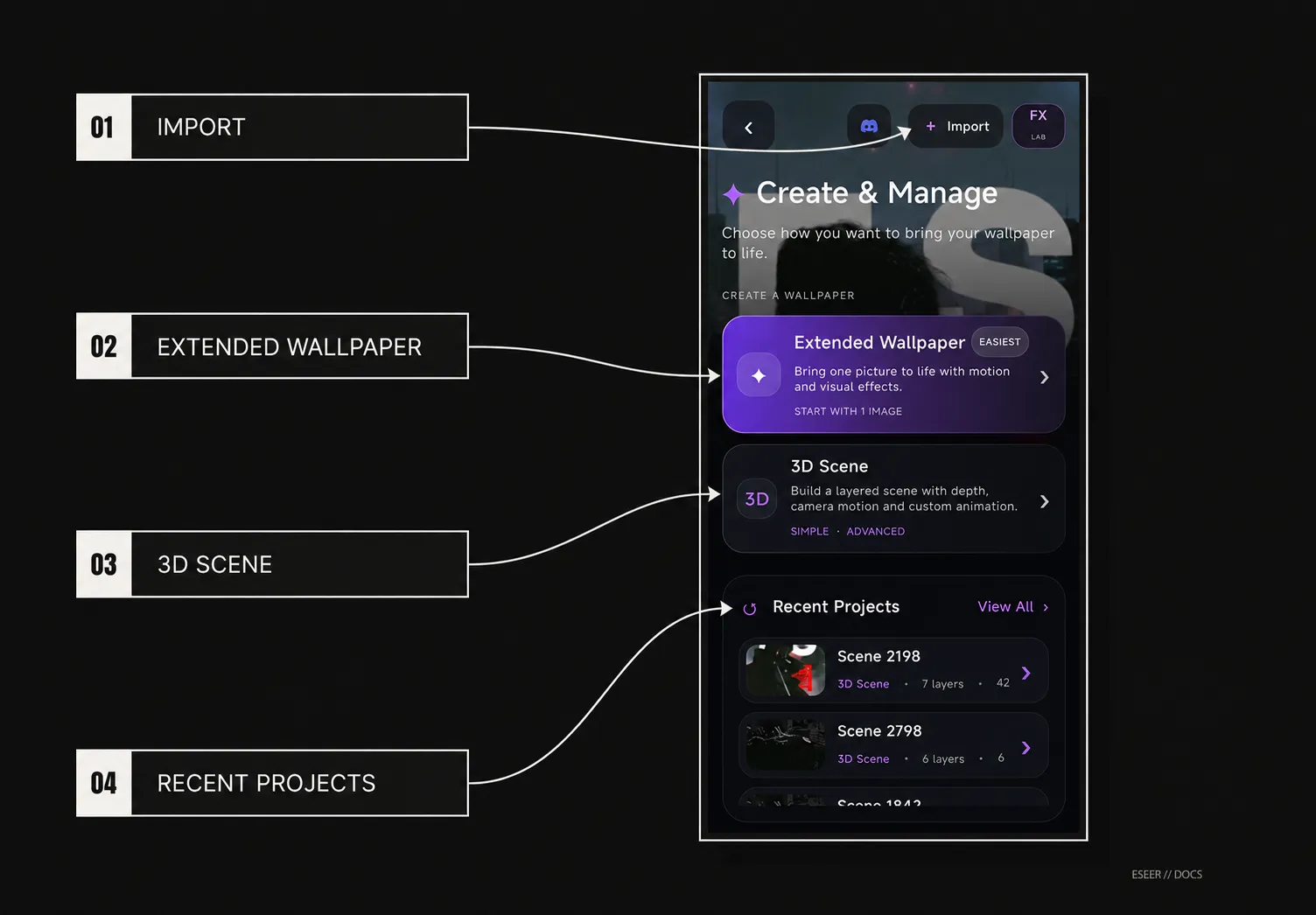
| Starting material / goal | Best starting editor | Why |
|---|---|---|
| One finished JPG/PNG/WebP that already contains the composition | Extended Wallpaper | Keeps one base image and adds motion, visual effects, touch behavior, overlays/elements and intro effects |
| Separate background / subject / foreground images | 3D Scene | Builds an ordered layer stack with depth separation and camera motion |
| Several layer images already prepared | 3D Scene | Import picture can add several selected images in one ordered batch |
| Need a styled text asset first | Asset Creator / Asset Studio | Creates an editable text design that can then be inserted into 3D Scene or Extended Wallpaper |
| Already have an ESEER package | Import .es | Imports the packaged wallpaper through the ESEER validation/import workflow |
Projects, editable sources and wallpaper output
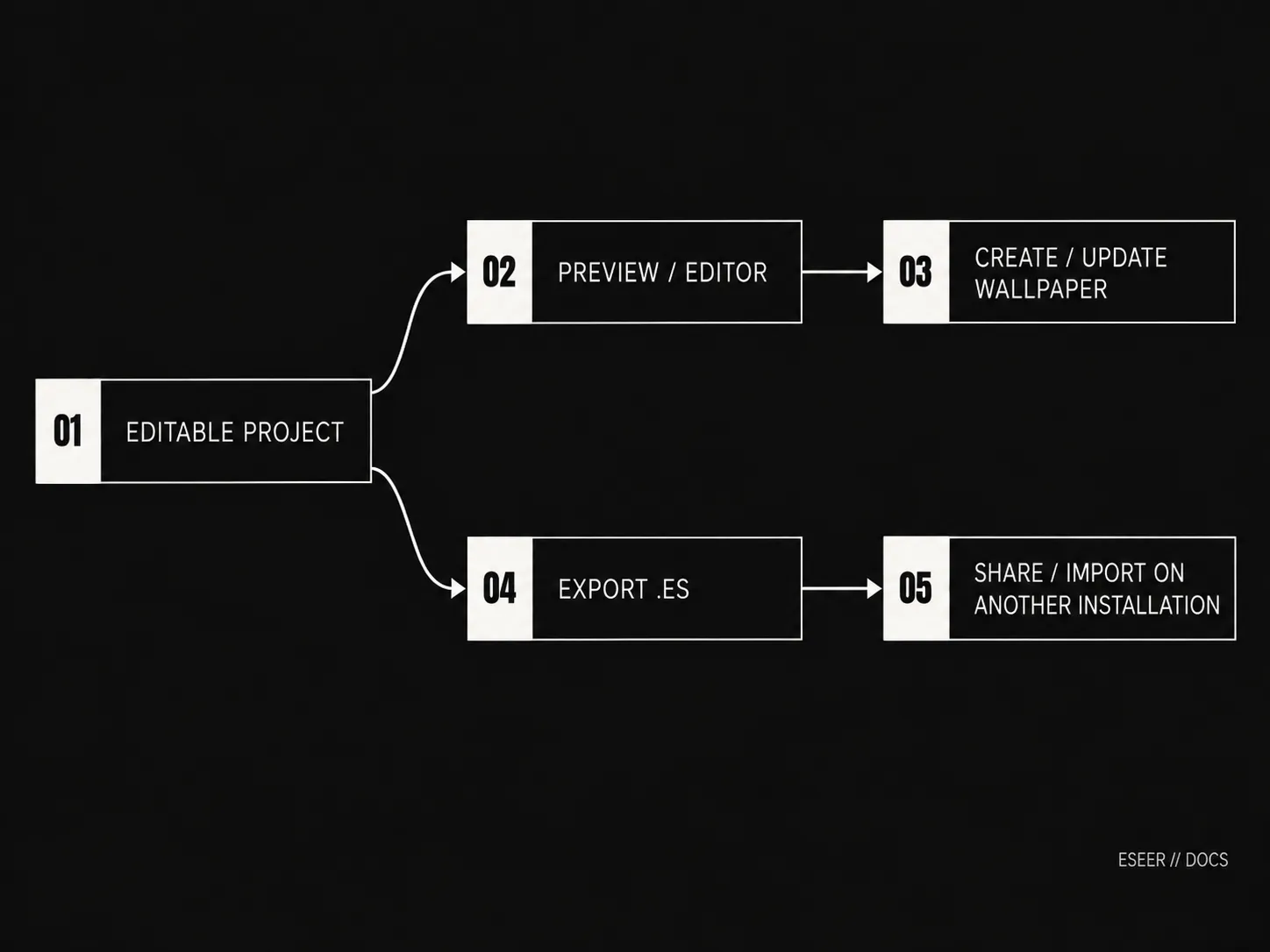
An ESEER creator project is the editable version of your wallpaper. Creating or updating a wallpaper saves the version used in the gallery and as the live wallpaper. Exporting a .es file creates a portable package you can share or import later. Keep the editable project if you want to come back and change individual controls.
The 3D Scene starter scene
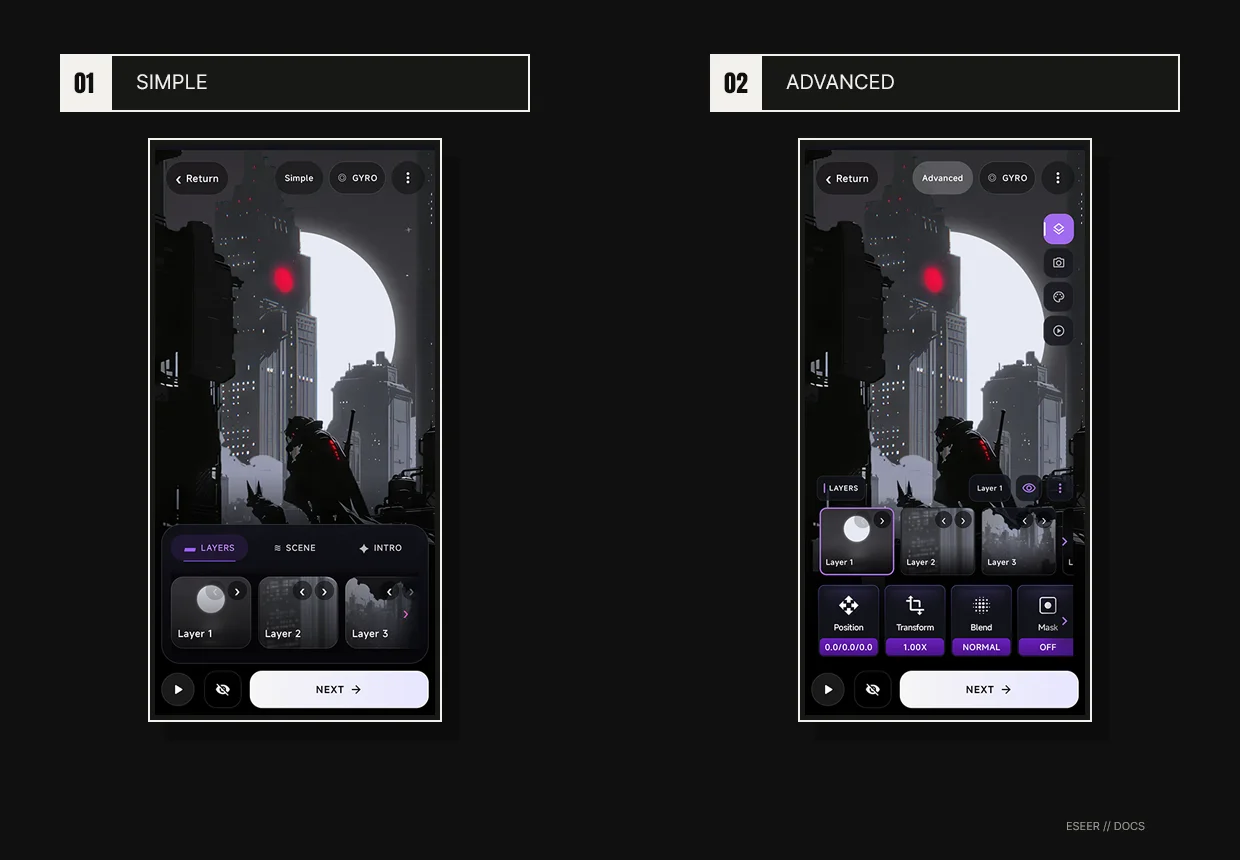
A new or reset 3D Scene starts from ESEER’s current six-layer starter scene. It includes the bundled artwork plus preset scene, camera and intro settings. Simple and Advanced edit the same scene; switching modes does not replace or reset your saved work.
Add several 3D Scene images at once
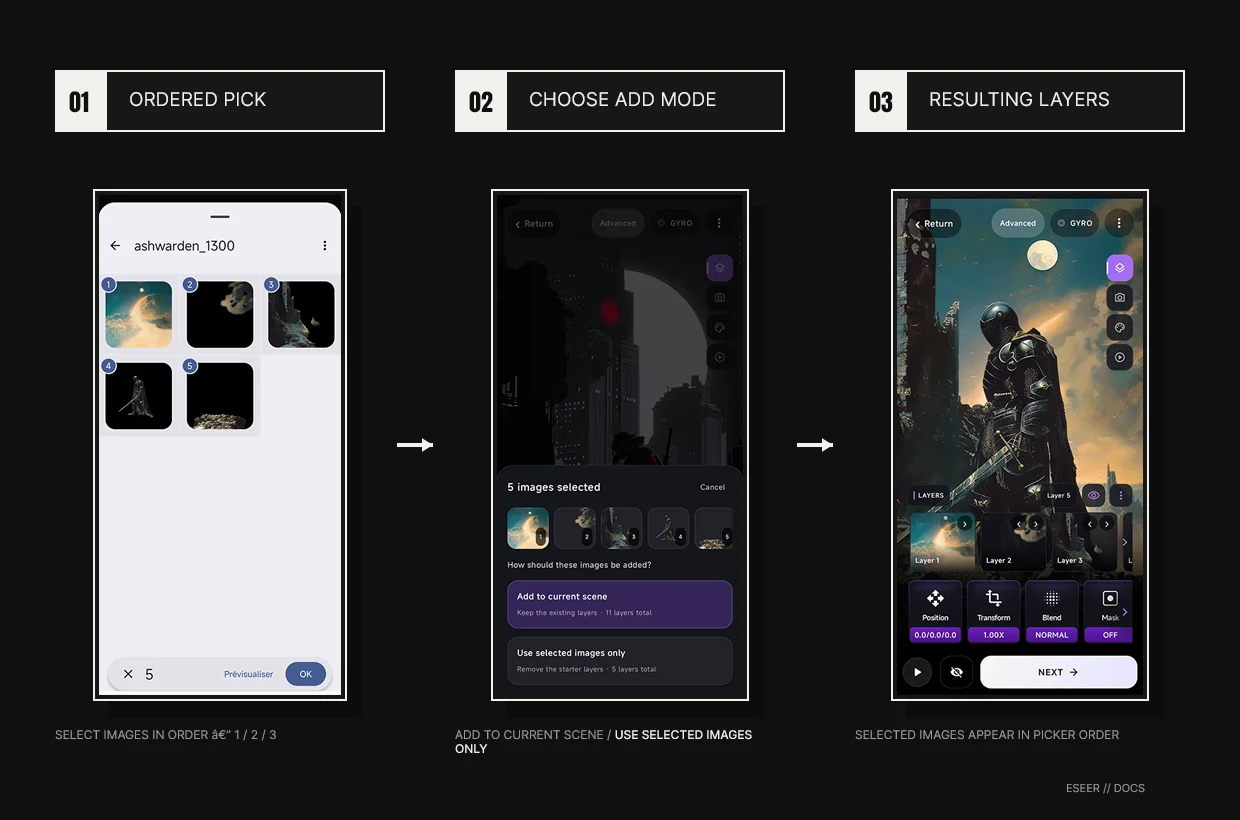
For a new layer, Add layer → Import picture opens Android’s ordered multi-image picker. ESEER preserves the selection order. Replacing an existing layer remains a single-image operation.
When you select two or more images while the original six-layer starter scene is still untouched, ESEER asks how to use them instead of silently replacing starter layers.
| Situation | Behavior |
|---|---|
| Untouched starter + 2 or more selected images | Shows “How should these images be added?” with Add to current scene or Use selected images only |
| Add to current scene | Keeps the six starter layers and appends the selected images in picker order |
| Use selected images only | Removes the untouched starter layers and builds the layer list from the selected images only |
| Starter already edited | Selected images are added to the current scene; the option to replace the untouched starter is no longer shown |
| One selected image | Adds it to the current scene |
| One or more selected images exceed the safe layer size | ESEER offers Import & resize; only oversized images are resized |
| Some files fail while a batch is prepared | Successfully prepared images can still be added; failed images are skipped and reported |
| Replace Image on an existing layer | Uses the single-image picker so only that layer is replaced |
Clear all layers and Reset Scene
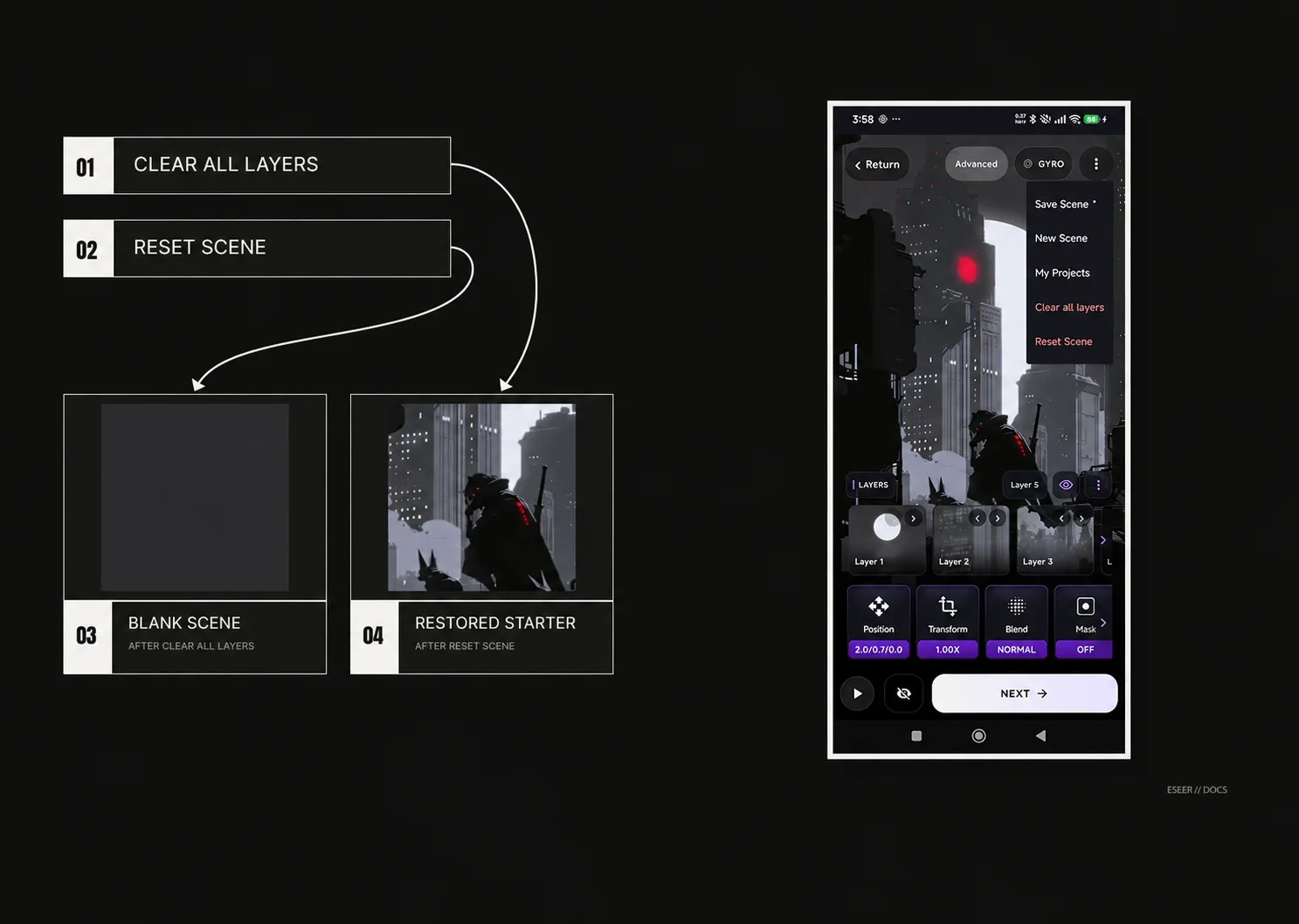
The Creator overflow menu includes two different reset actions. Clear all layers removes every layer while keeping scene and camera settings. Reset Scene restores the complete six-layer starter scene.
| Action | What is kept / restored |
|---|---|
| Clear all layers | Removes all visible layers and their layer-specific intro/effect settings; keeps scene and camera settings |
| After Clear all layers | The blank scene can be saved as project state, but at least one real layer must be added before creating the wallpaper |
| Reset Scene | Restores the six bundled starter layers plus the starter scene, camera and intro configuration |
The common editing workflow
| Stage | Reference question to ask |
|---|---|
| Source | Is this one finished image, multiple depth layers, or an editable Asset Studio element? |
| Composition | Are layer order, framing and transparent edges correct before motion/effects? |
| Motion | Which input mode is active, and are edge safety/depth values safe on-device? |
| Layer behavior | Does a layer need Pinned behavior, a mask, an Action, local Effects, a shadow or delayed unlock visibility? |
| Intro | Should a layer animate From Start, On Unlock, or only exist during its intro? |
| Output | Do you need the installed wallpaper, a portable .es file, or both? |
Reference map
| You are looking for… | Reference page |
|---|---|
| Simple 3D layer/scene controls | 3D Scene → Simple Editor |
| Precise transforms / blend modes | Position · Scale · Rotation & flip · Blend modes |
| Per-layer Effects and shadows | Layer Effects · Layer Shadows |
| Scene background and dynamic shadows | Scene Background · Dynamic Shadows |
| From Start / On Unlock visibility | Advanced → Visibility & unlock |
| Camera FOV / motion / orbit / smoothing | FOV · Motion · Orbit · Smoothing |
| Clipping masks and tap Actions | Clipping Masks · Layer Actions |
| One-image effects / touch effects / overlays | Extended Wallpaper effects |
| Text design controls | Asset Creator styling |
| Sensor / device compatibility | Troubleshooting → Gyroscope & device compatibility |
| Portable wallpaper packages | Import / export .es |