Layer Visibility and On Unlock
Added in v1.3.56Visibility controls when a 3D Scene layer appears. Use From Start to show it immediately or On Unlock to show it after device unlock on Android 14+.
Layer Visibility control
Every Advanced layer has a Visibility card with two options: From Start and On Unlock. Visibility decides when the layer becomes active; Advanced Intro decides how it animates after activation.
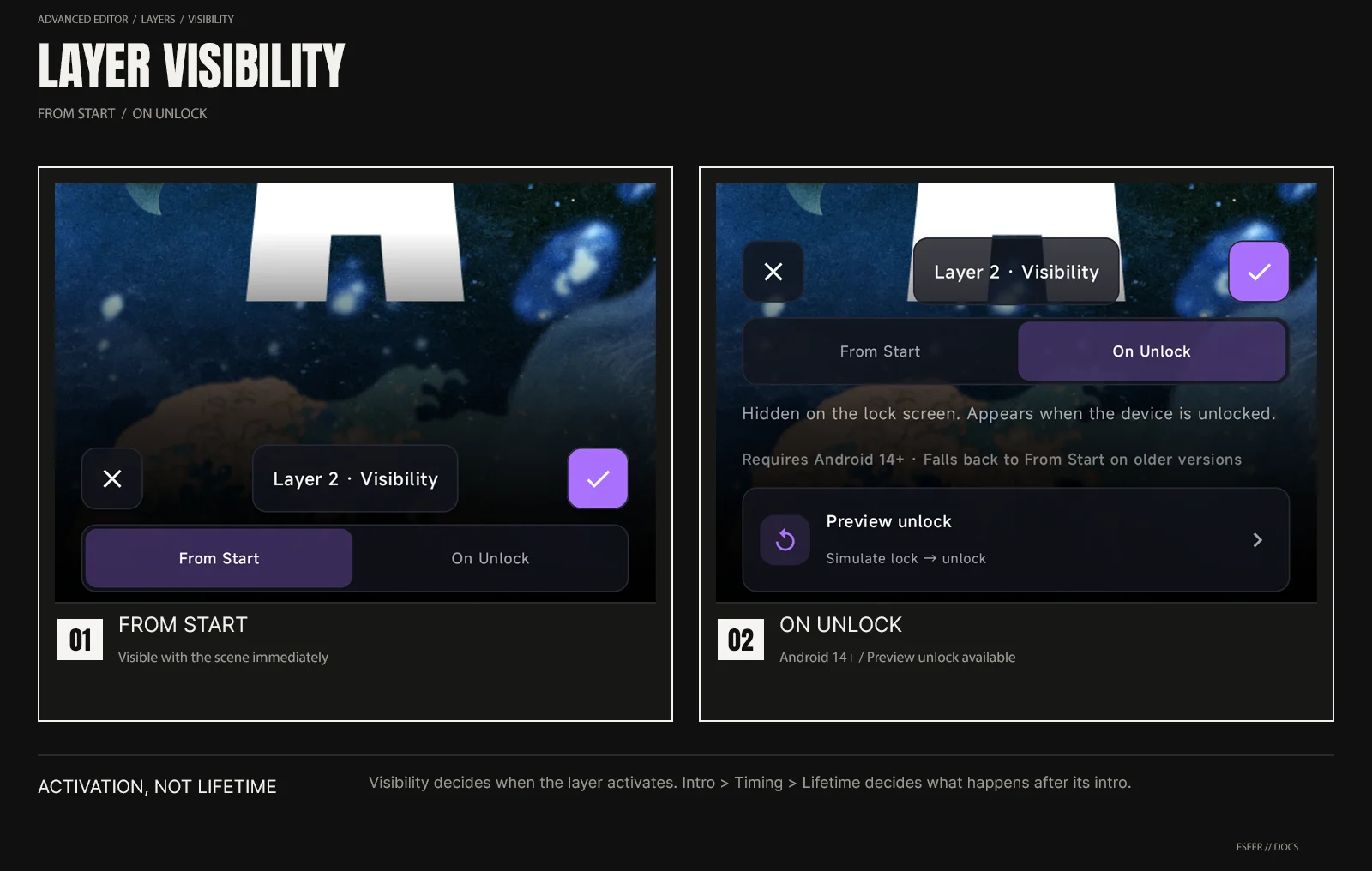
| Visibility | Behavior |
|---|---|
| From Start | Layer is visible from the start |
| On Unlock | Layer is hidden on the lock screen and appears when the device is unlocked |
Android 14+ requirement
The installed wallpaper needs Android 14 / API 34 or newer for On Unlock behavior. You can still configure On Unlock on older Android versions, but ESEER shows: Requires Android 14+ · Falls back to From Start on older versions.
One activation per lock cycle
On supported Android versions, turning the screen off prepares On Unlock layers for the next unlock. They activate once when the user unlocks the device. If the wallpaper is still loading, ESEER waits and activates the layer as soon as it is ready.
Returning to the Home screen
After an On Unlock layer has activated, it stays active when you leave and return to the Home screen. Returning Home can replay that layer’s intro. Layers that have not been unlocked yet remain hidden.
Visibility and Intro-only lifetime
| Visibility | Lifetime | Result |
|---|---|---|
| From Start | Always | Active with the scene and remains visible |
| From Start | Intro only | Appears for its intro, then disappears |
| On Unlock | Always | Activates after unlock, plays its intro if configured, then remains visible |
| On Unlock | Intro only | Activates after unlock only for its intro, then disappears |
Lifetime is edited under Advanced → Intro → Timing. Visibility and Lifetime are separate controls so activation timing and post-intro visibility can be combined.
Preview unlock in Creator
Preview unlock briefly shows a lock-style time/date overlay, then plays the unlock behavior. This lets you test On Unlock without locking the device after every change.
Gallery and Focus preview behavior
The wallpaper carousel shows the final wallpaper state. When a wallpaper contains On Unlock layers, the full Focus view can simulate the lock/unlock sequence and shows a replayable LOCKSCREEN FEATURES · ANDROID 14+ badge. On older Android versions, the badge explains that the installed wallpaper needs Android 14+ for this behavior.