Advanced Intro
Advanced Intro is organized by scope first, then by control family. Choose a layer or the camera, then configure Motion, Transform, Timing or Effects for that target.
Advanced Intro workspace
Advanced Intro starts by choosing the animation scope: Layers or Camera. In Layers mode, the layer picker directly selects which layer you are editing. There is no separate “selected target” control: the highlighted layer thumbnail is the current intro target. In Camera mode, the camera itself becomes the target.
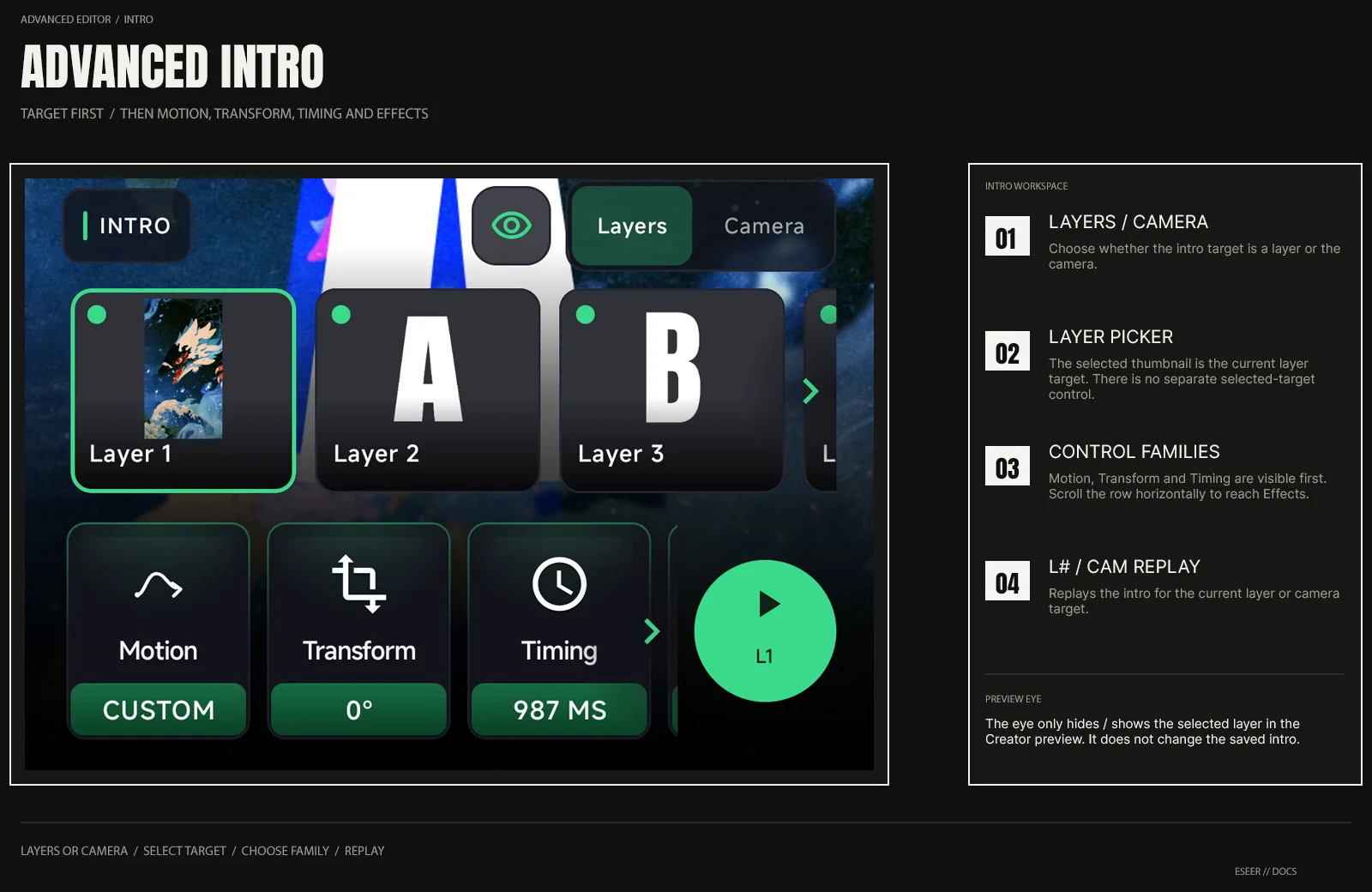
| Area | What it does |
|---|---|
| Layers / Camera | Changes whether you edit a layer intro or the Camera Intro |
| Layer picker | Selects the layer whose intro settings you are editing |
| Eye button | Temporarily hides / shows the selected layer in the Creator preview only |
| Motion | Starting movement / depth animation |
| Transform | Layer-only starting rotation controls |
| Timing | Delay, Duration and layer Lifetime controls |
| Effects | Layer-only Fade and timed Intro Effects |
| L# / CAM replay | Replays the currently selected layer or camera intro |
Intro reference pages
| Feature | Reference |
|---|---|
| Layer Motion | Intro Layer Motion |
| Layer Timing | Intro Timing |
| Layer Lifetime | Intro Layer Lifetime |
| Starting Rotation | Intro Transform |
| Fade In / Fade Out | Intro Fade |
| Timed local effects | Intro Effects |
| Camera Motion / Timing | Camera Intro |
Simple preset versus Advanced overrides
If a layer has no Advanced Intro settings, it can use the Simple preset. Once you give that layer its own Advanced settings, it uses them while other layers can still use the Simple preset.
Replay and unlock activation
The round L# / CAM replay button previews the currently selected layer or camera intro. Use the Creator's full intro preview when you want to review the combined scene sequence. For On Unlock layers, use Layers → Visibility → Preview unlock to test the unlock sequence.