Scene Background
Added in v1.0.48Scene Background controls the color behind the complete 3D layer stack. It is a scene-wide property and is especially important when transparent assets or camera motion can reveal the space behind your layers.
Background color
Background sets the scene-wide color rendered behind the complete 3D layer stack. It is most visible through transparent parts of your assets or anywhere the layers do not fully cover the screen.
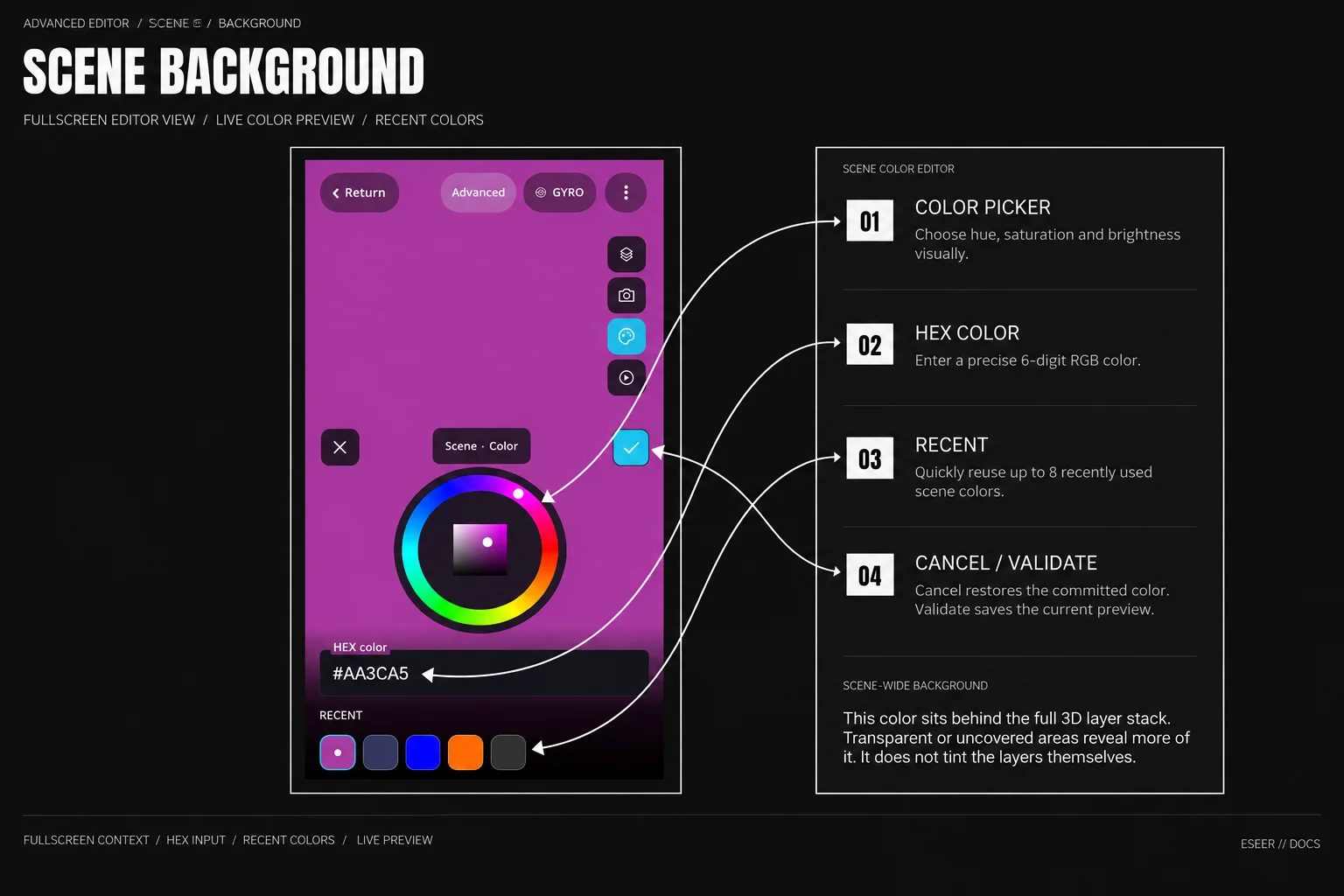
| Control / behavior | What it does |
|---|---|
| Color picker | Choose hue, saturation and brightness visually |
| HEX color | Enter a 6-digit RGB color directly |
| RECENT | Quickly reuse up to 8 recently used scene colors |
| Live preview | Updates the scene background while you edit |
| Cancel / back | Restores the previously committed background color |
| Validate | Commits the selected background color to the scene |
The Scene section also contains Shadows. Dynamic scene shadow behavior is documented separately in Dynamic Shadows.