Layer Actions
Added in v1.3.50Layer Actions make visible source artwork tappable in the installed live wallpaper. Launch App links a layer to a selected Android app.
Layer Actions: Launch App
Open Action from Advanced → Layers and choose None or Launch App. Launch App opens a searchable list of installed apps and remembers the selected app for that layer.
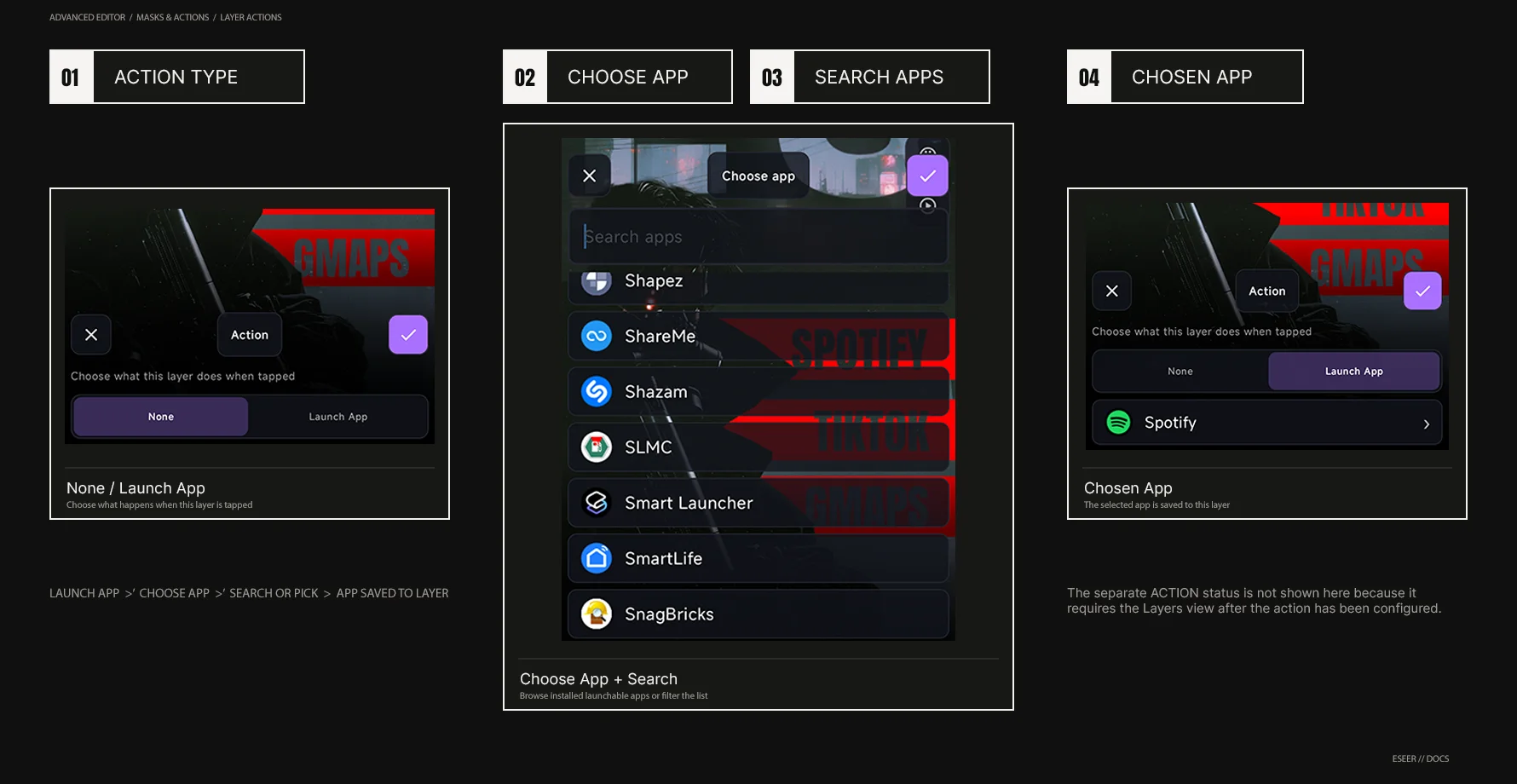
| # | Interface element | Purpose |
|---|---|---|
| 01 | None / Launch App | Chooses whether the selected layer has an app-launch Action |
| 02 | Select App | Opens the installed-app chooser |
| 03 | Search Apps | Filters the available launchable apps |
| 04 | Chosen App | Shows the app currently bound to the layer |
| 05 | ACTION Status | Confirms that a Launch App Action is configured on the target layer |
| Behavior | Current reference |
|---|---|
| Where it runs | Installed live wallpaper; Creator preview does not launch apps |
| Lock screen | Action launching is blocked while the device is locked |
| Overlapping Actions | The top visible tappable layer is checked first. If the tap lands on transparent pixels, ESEER can check an Action layer underneath |
| App no longer available | Nothing happens if Android can no longer open the selected app |
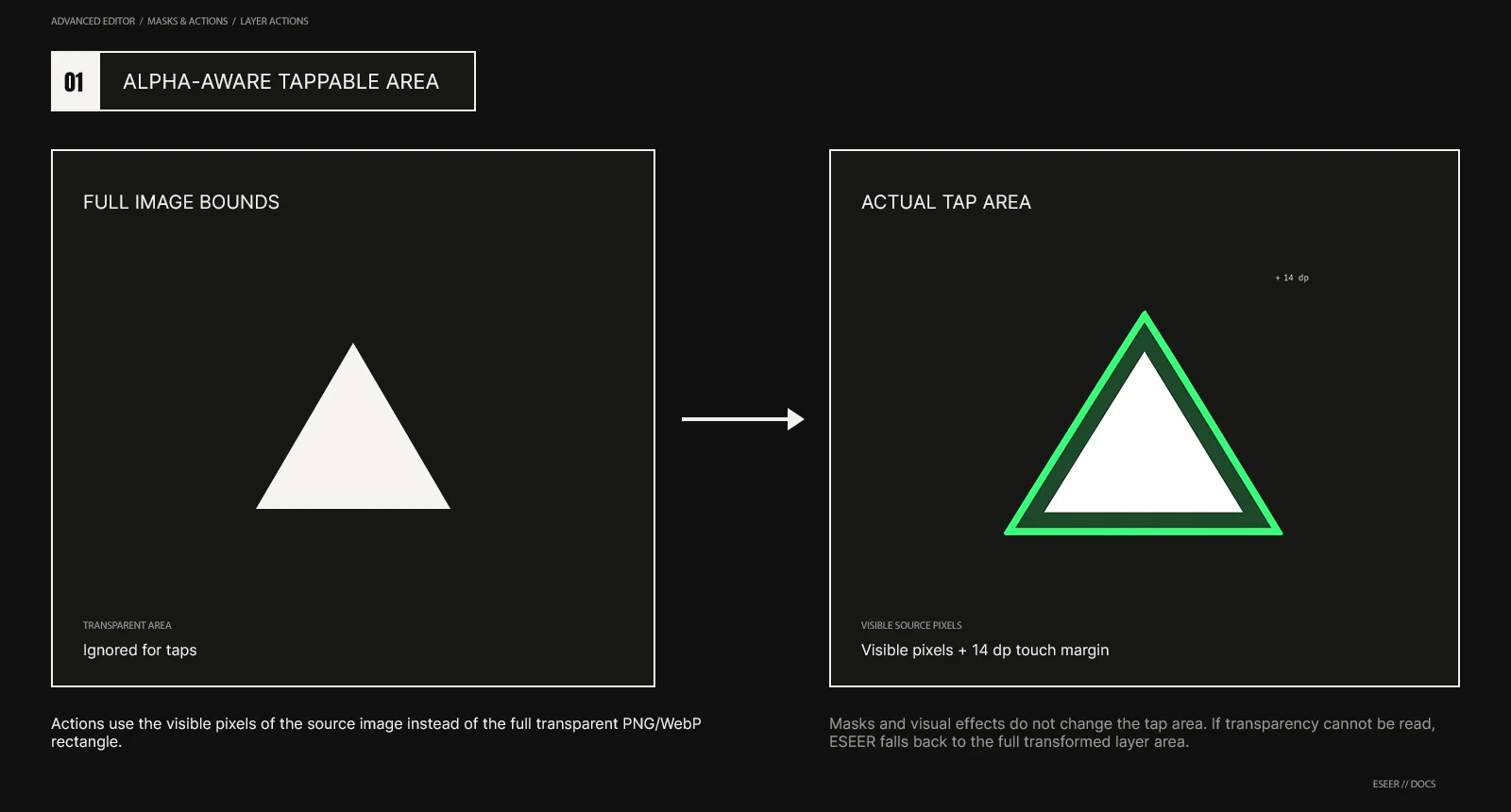
Alpha-aware tappable area
Actions use the visible pixels of the source image instead of making the whole transparent PNG/WebP rectangle tappable. ESEER allows a small 14 dp touch margin around those visible pixels, which makes small elements easier to tap without making the full image bounds interactive.