Intro Layer Motion
Added in v1.1.09Layer Motion defines where a layer starts its intro before animating back to its normal scene position. Use direction and depth presets for quick setups, or Custom for direct X, Y and Z control.
Layer Motion
Layer Motion defines the starting position of the selected layer for its intro. During playback, the layer animates from that start position back to its normal authored scene position.
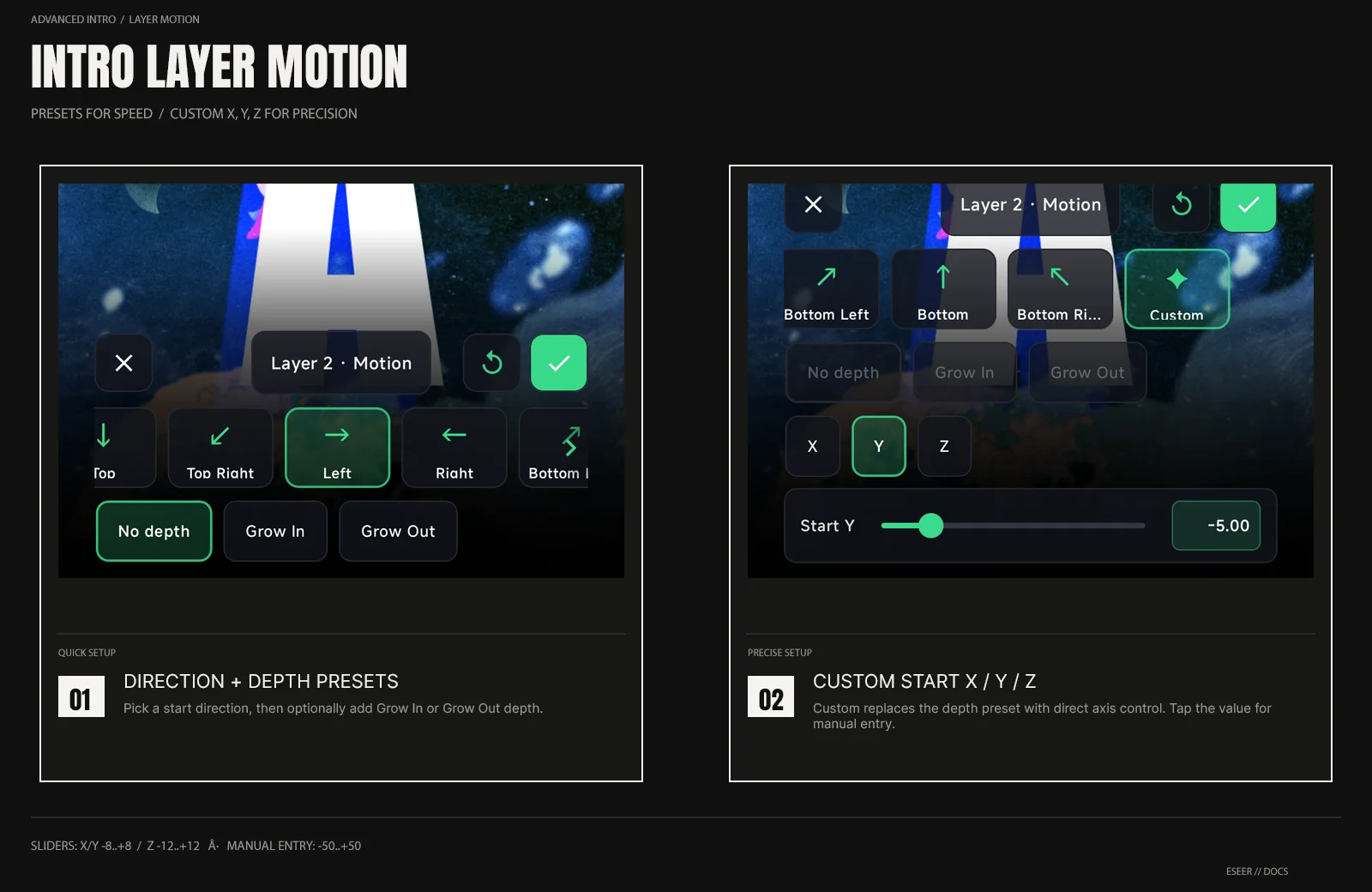
| Control | Options / range | What it changes |
|---|---|---|
| Direction preset | None · Top Left · Top · Top Right · Left · Right · Bottom Left · Bottom · Bottom Right · Custom | Starting X / Y position |
| Depth preset | No depth · Grow In · Grow Out | Starting Z depth for non-Custom direction presets |
| Custom Start X / Y | Slider -8 → +8 | Manual horizontal / vertical start offset |
| Custom Start Z | Slider -12 → +12 | Manual depth start offset |
| Manual value entry | -50 → +50 | Extended Custom X / Y / Z values beyond the slider range |
| Reset motion | Header reset action | Returns direction, depth and Custom X / Y / Z to neutral |
Direction and depth presets
The direction preset controls where the layer starts in X / Y. The separate depth preset can add a Z start offset at the same time, so a layer can slide in from a direction while also using Grow In or Grow Out.
Custom start position
Select Custom to edit the start position directly. Use the X / Y / Z tabs to switch axis. The normal sliders cover X / Y from -8 to +8 and Z from -12 to +12.
Tap the displayed numeric value to enter a Custom value manually. Manual entry accepts values from -50 to +50, allowing starts beyond the normal slider range.