Asset Creator / Asset Studio
Asset Creator is ESEER's text-design workflow. The Android editor is labeled Asset Studio: build the text asset, preview it against different backgrounds, save the editable design, then add the rendered result to a wallpaper.
Asset Studio editor
The documentation calls this feature Asset Creator, while the Android editor is currently labeled Asset Studio. It creates editable text assets for ESEER wallpapers and renders the final image used by the wallpaper.
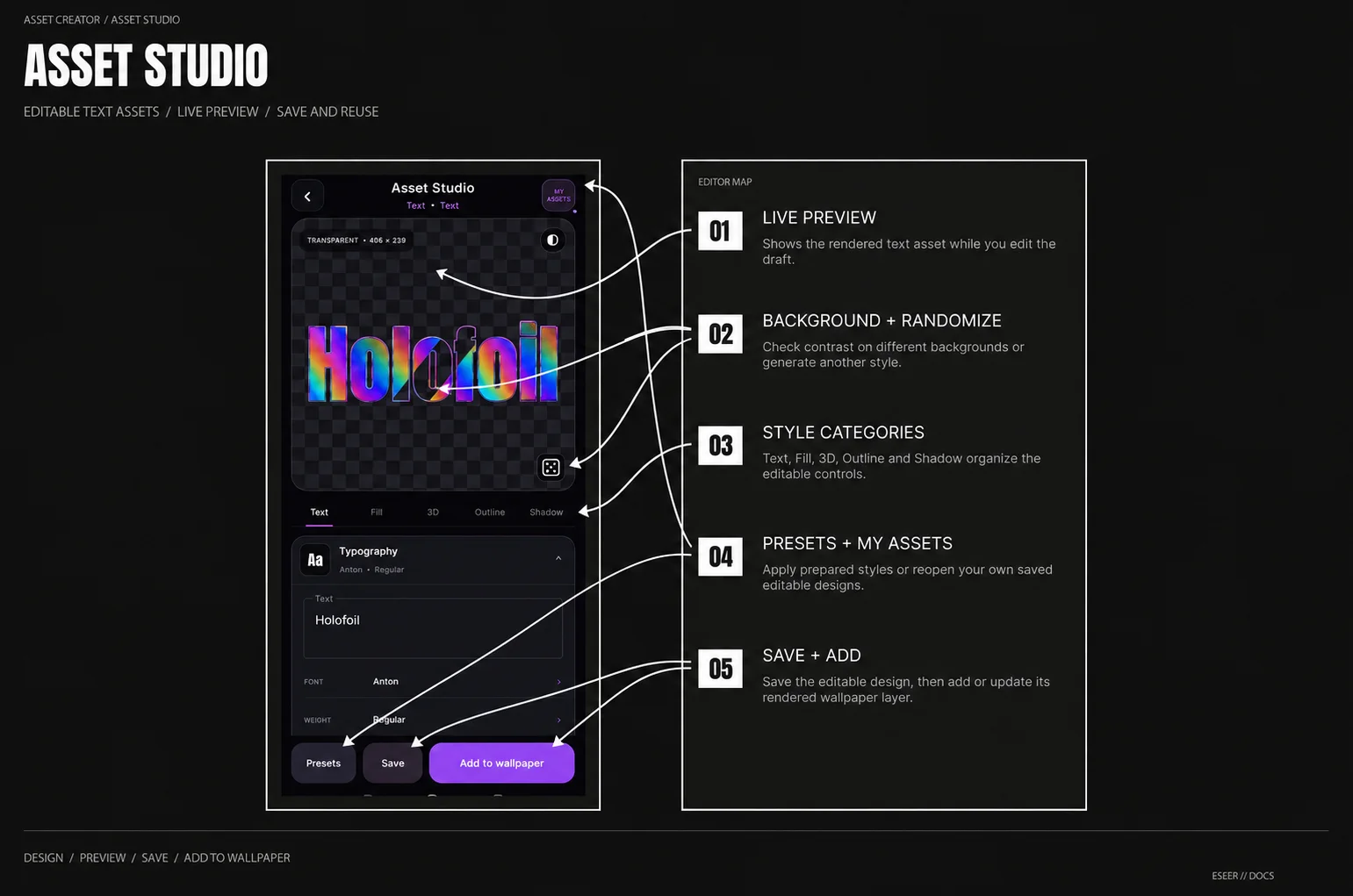
| Area | What it does |
|---|---|
| Live preview | Shows the rendered text asset while you edit it |
| Preview background | Switches between Dark Grid, Light Grid, Black, White and Context when available |
| Randomize | Generates another style configuration while preserving the text, layout and spacing |
| Text · Fill · 3D · Outline · Shadow | Opens the five styling categories |
| Presets | Applies a prepared style to the current draft |
| My Assets | Opens previously saved editable Asset Studio designs |
| Save | Saves or updates the current editable design in My Assets |
| Add to wallpaper / Update layer | Returns the rendered asset to the calling wallpaper editor |
Styling categories
| Category | Main controls |
|---|---|
| Text | Text, font, weight, horizontal / vertical layout, spacing, Lettering, Global Fade and Glyph Shape |
| Fill | Face Fill, Gradient, Pattern / Texture, Grain and Fill Mask |
| 3D | Two Projection layers and Bevel |
| Outline | Two independently configurable outlines |
| Shadow | Two Outer Shadows and one Inner Shadow |
For the complete control reference, ranges and examples for every card, see Text & Styling.
Preview backgrounds
| Background | Useful for checking |
|---|---|
| Dark Grid | Light edges, shadows, transparency and general contrast |
| Light Grid | Dark outlines / shadows and transparency on a bright surface |
| Black | Bright treatments, glow and low-opacity light styling |
| White | Dark styling and unwanted light fringes |
| Context | The asset over the wallpaper image supplied by the calling editor, when available |
Randomize and Undo
Randomize creates a new complete style for the current draft. It can change font, fill, outlines, projection and optional treatments such as Pattern, Grain, Bevel, Shadow or Lettering.
Presets and My Assets
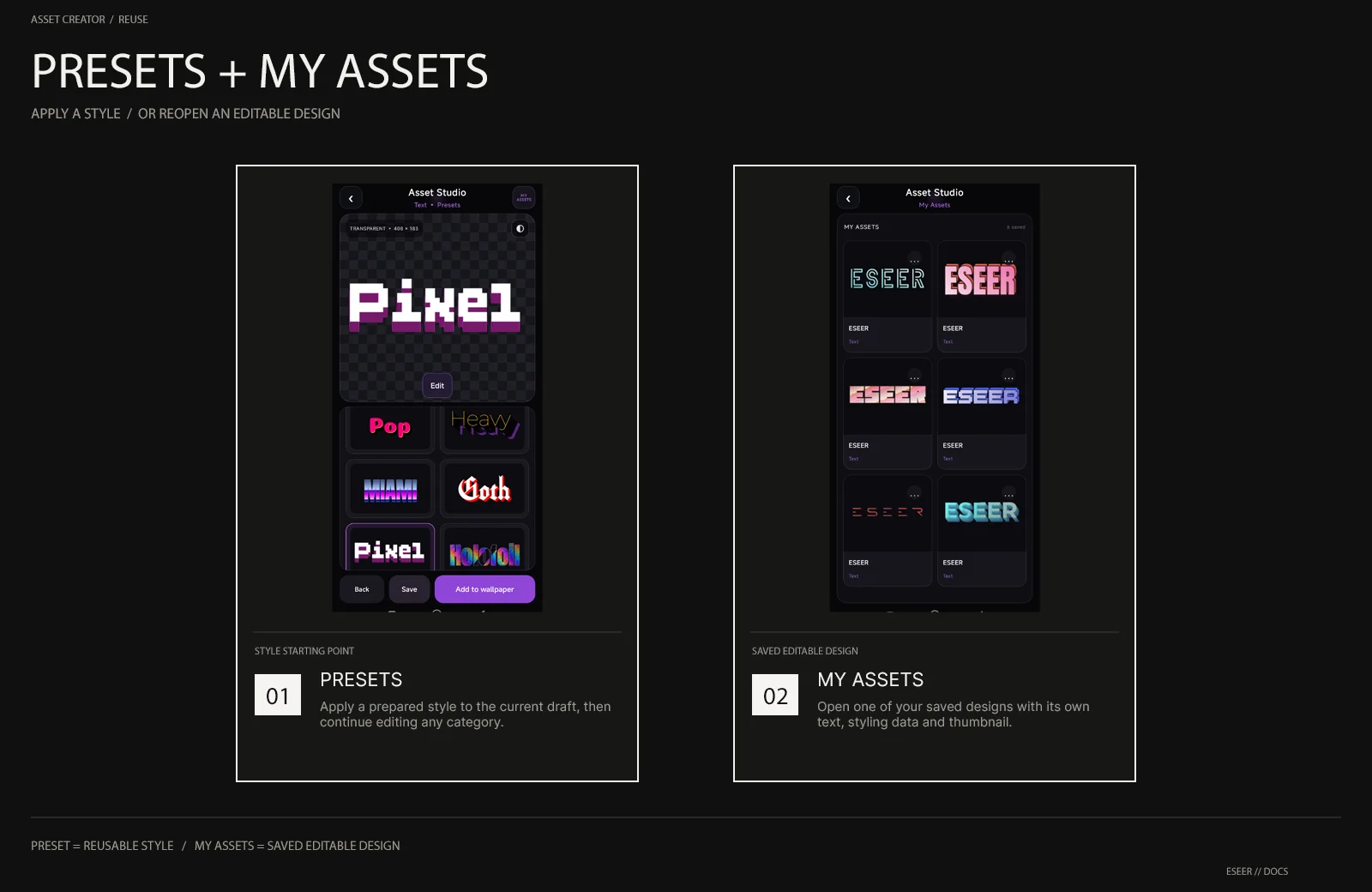
| Tool | What it stores / changes |
|---|---|
| Presets | Prepared styling applied to the current draft as a starting point |
| My Assets | Your saved editable Asset Studio designs and thumbnails |
| Save | Creates a new saved asset, or updates the currently opened saved asset |
Editable design and rendered output
Asset Studio keeps the editable design data separately from the rendered image used by the wallpaper. Saving the asset preserves the text and styling configuration so the design can be reopened later.
When Asset Studio is opened from a wallpaper editor, Add to wallpaper inserts the rendered result. When editing an existing Asset Studio layer, the primary action becomes Update layer.
Using Asset Studio in wallpapers
| Host editor | How the asset is used |
|---|---|
| 3D Scene | Inserted as a normal visual layer while retaining its Asset Studio edit relationship when supported |
| Extended Wallpaper | Inserted as an editable Element over the base image; the wallpaper uses its rendered image |
Asset Studio designs the asset itself. Final wallpaper Position, Scale and scene motion are adjusted in the 3D Scene or Extended Wallpaper editor after the asset is inserted.