Layer Position
Added in v1.1.03Position moves the selected layer inside the scene. Standard layers expose X, Y and Z; Pinned layers intentionally use X and Y only.
Position: slider range and manual values
Advanced Position exposes X/Y/Z for Standard layers and X/Y for Pinned layers. Tap a displayed numeric value to enter a wider manual value when the slider range is not enough. X/Y positioning first shipped in v1.1.03; per-layer Z depth was added with Advanced Creator in v1.1.09.
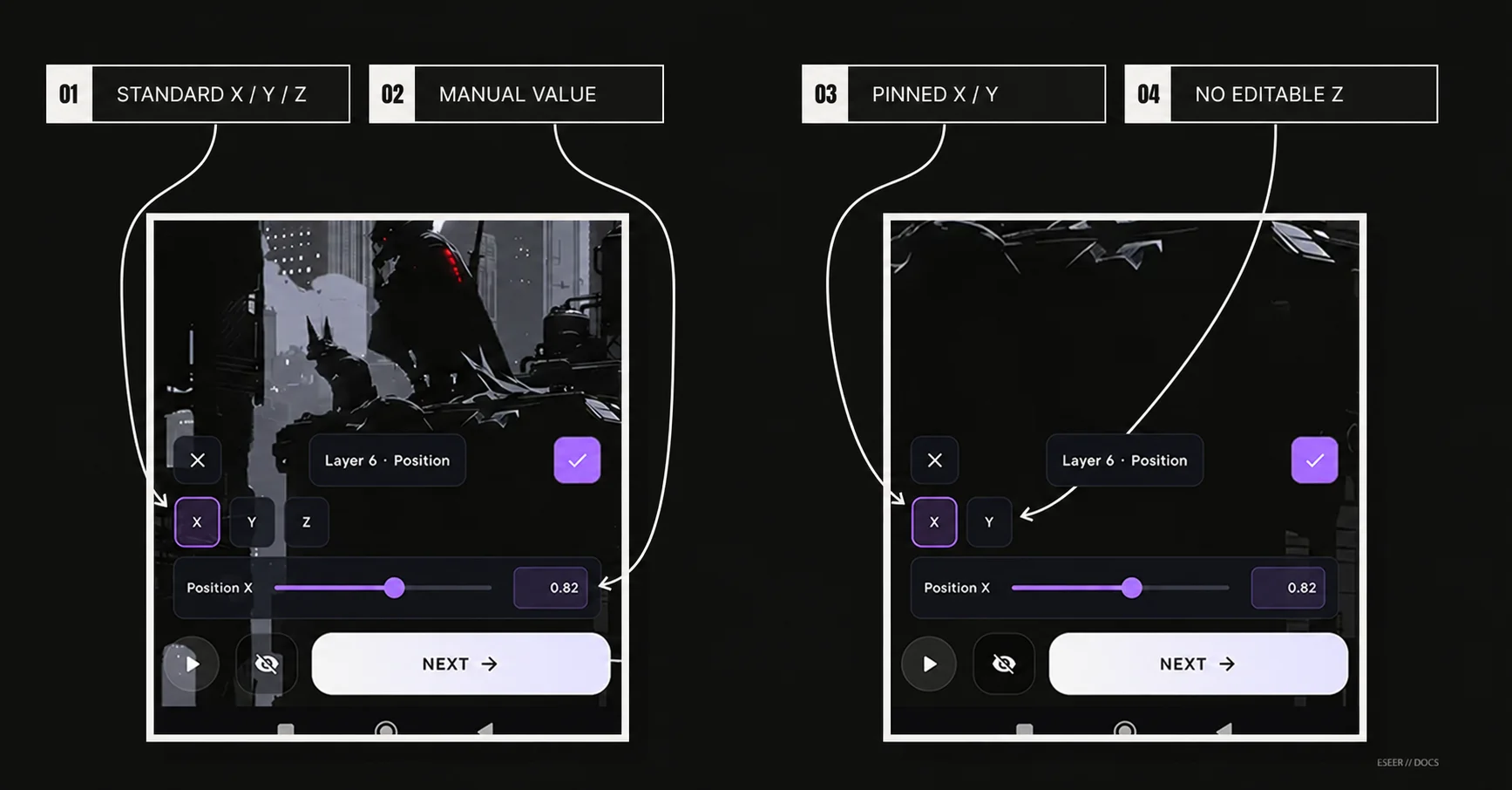
| # | Interface element | Purpose |
|---|---|---|
| 01 | Standard X / Y / Z | Edits horizontal, vertical and per-layer Standard depth position |
| 02 | Manual Value | Opens numeric entry beyond the narrower slider range, up to ±50 |
| 03 | Pinned X / Y | Edits the base X/Y position of a Pinned layer |
| 04 | No editable Z | Pinned layers do not use an editable Z value |
| Layer behavior | Axis | Slider range | Manual entry |
|---|---|---|---|
| Standard | X | -8 → +8 | -50 → +50 |
| Standard | Y | -8 → +8 | -50 → +50 |
| Standard | Z | -12 → +12 | -50 → +50 |
| Pinned | X | -8 → +8 | -50 → +50 |
| Pinned | Y | -8 → +8 | -50 → +50 |
| Pinned | Z | Not exposed | Not exposed |
Manual values can go beyond the slider range up to ±50. The wider value is kept until you move that slider again.