Camera Field of View
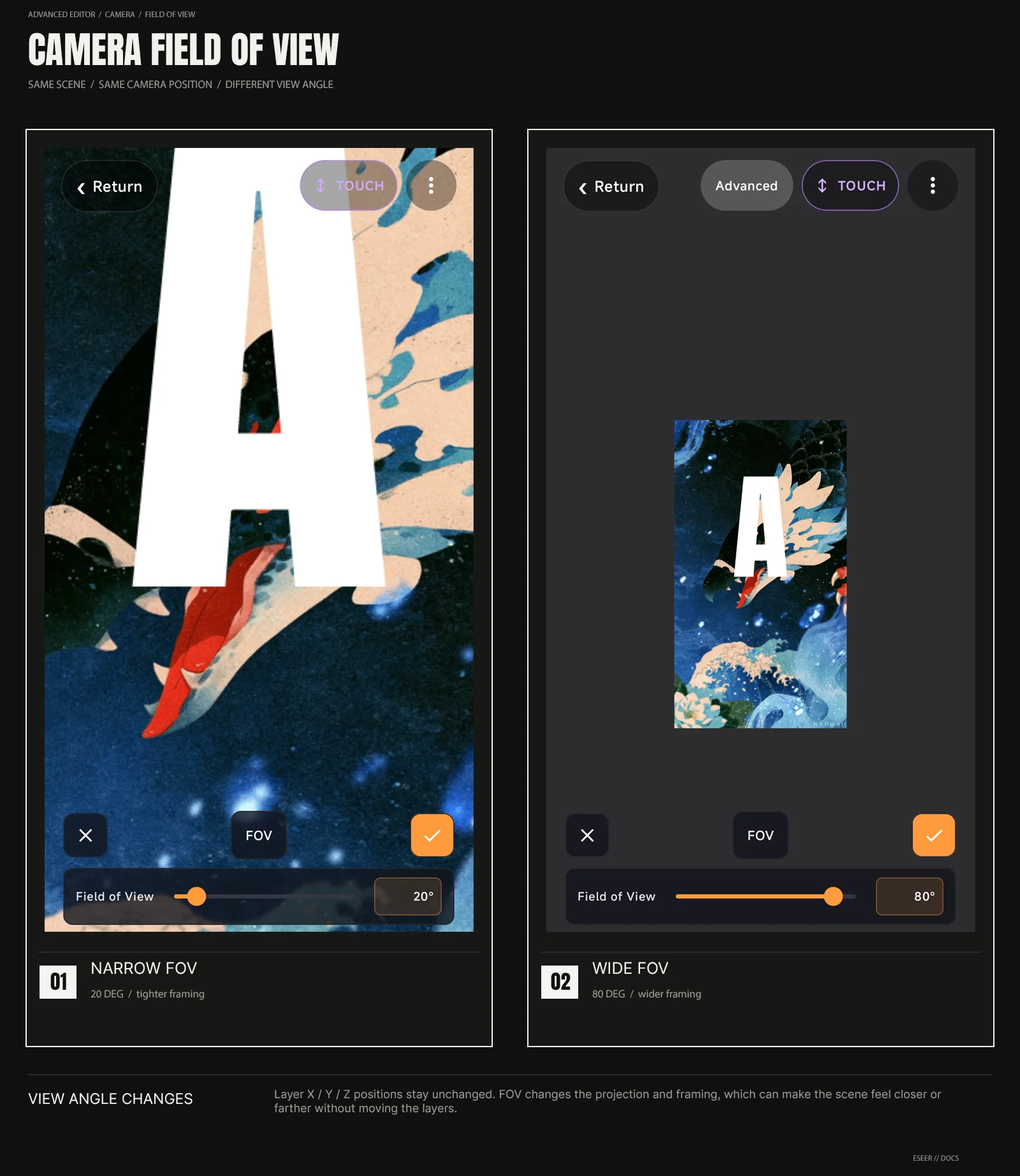
Added in v1.1.09Field of View changes how much of the 3D scene the camera sees. It changes the viewing angle and framing, not the actual distance between your layers.
Field of View
Field of View (FOV) changes the camera's viewing angle and therefore the framing of the complete 3D scene. A lower FOV gives a narrower, tighter view; a higher FOV shows a wider portion of the scene.
| Control | Range | Visual result |
|---|---|---|
| Field of View | 10° → 90° | Changes the camera viewing angle and whole-scene framing |
| Lower FOV | Toward 10° | Narrower view; the scene appears larger / more zoomed-in |
| Higher FOV | Toward 90° | Wider view; more of the scene becomes visible |