Intro Effects
Added in v1.3.56Intro Effects are layer-local visual effects that run during intro playback. Configure the effect normally, then use its own Delay and Duration to place it inside the selected layer's intro.
Effects → Intro Effects
Intro Effects apply a local visual effect only during the selected layer's intro sequence. They reuse the same visual controls as regular Layer Effects, then add dedicated Delay and Duration controls for intro playback.
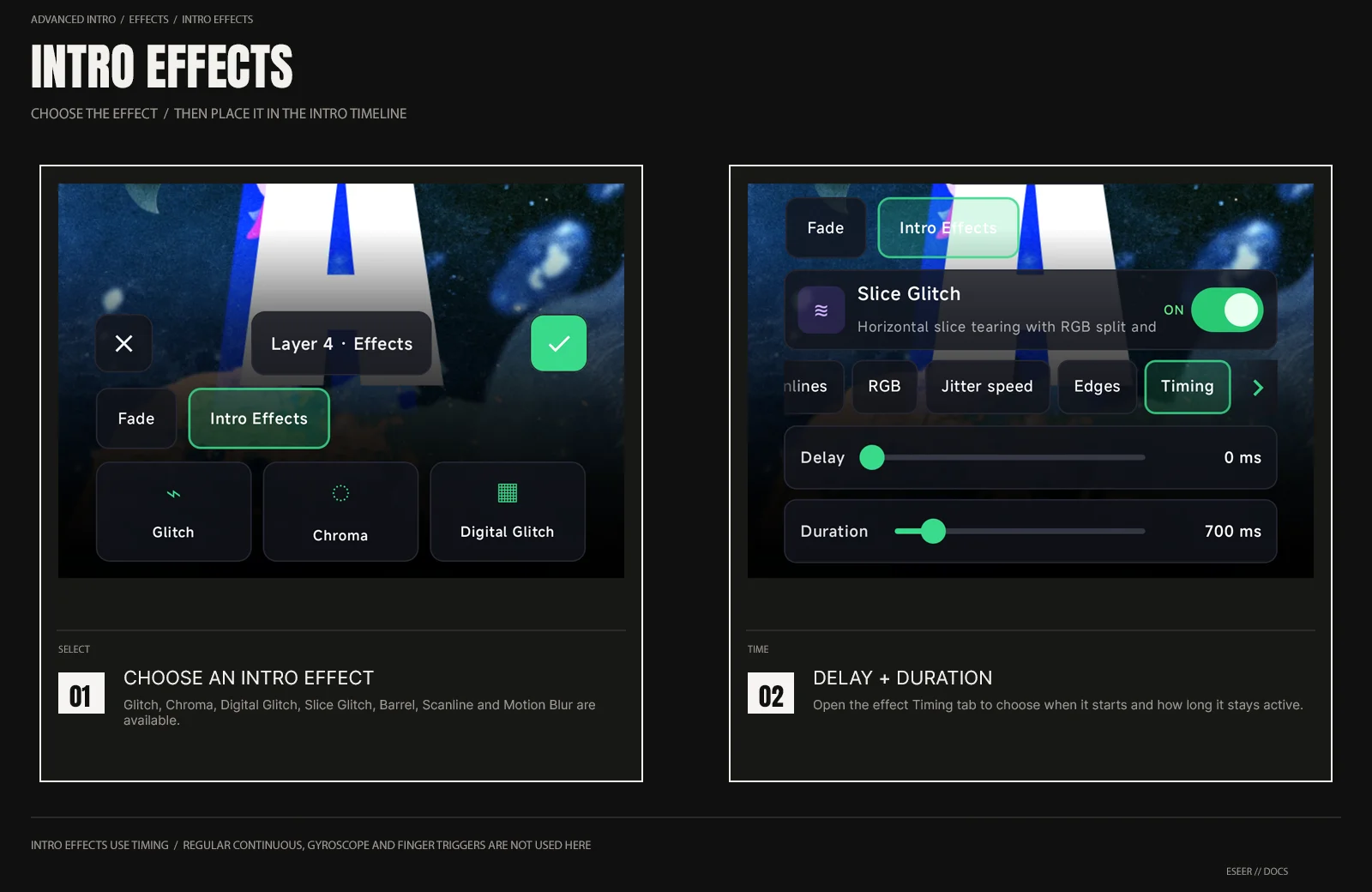
| Available Intro Effect | Purpose |
|---|---|
| Glitch | Local tearing, block displacement and RGB split |
| Chroma | RGB color separation around the layer |
| Digital Glitch | Digital blocks and unstable horizontal displacement |
| Slice Glitch | Horizontal slice tearing with RGB split and scanlines |
| Barrel | Lens-like inward / outward distortion |
| Scanline | Animated CRT-style scanlines |
| Motion Blur | Directional blur driven by the layer intro motion |
Effect timing
| Control | Range | Meaning |
|---|---|---|
| Delay | 0 → 4000 ms · 50 ms steps | Wait before this effect begins inside the layer intro |
| Duration | 100 → 4000 ms · 50 ms steps | How long the Intro Effect remains active |
Open an Intro Effect and select its Timing tab to edit Delay and Duration. These values belong to that effect, so multiple Intro Effects on the same layer can start and end at different moments.
Reuse existing Layer FX settings
If the same effect already exists in the selected layer's regular Layer Effects, ESEER asks whether to start the Intro Effect from Use Layer FX settings or Use defaults.
| Choice | Result |
|---|---|
| Use Layer FX settings | Copies the current visual settings from the matching regular Layer Effect |
| Use defaults | Creates the Intro Effect using that effect's default visual settings |
Effect limits and existing projects
Regular Layer Effects and Intro Effects share the layer's local shader-effect capacity. Up to 8 shader-slot effects can be enabled across both groups. Motion Blur is handled separately and does not consume one of those 8 slots.
Fade In and Fade Out live in the separate Fade section inside Intro → Effects. See Intro Fade.