Camera Orbit
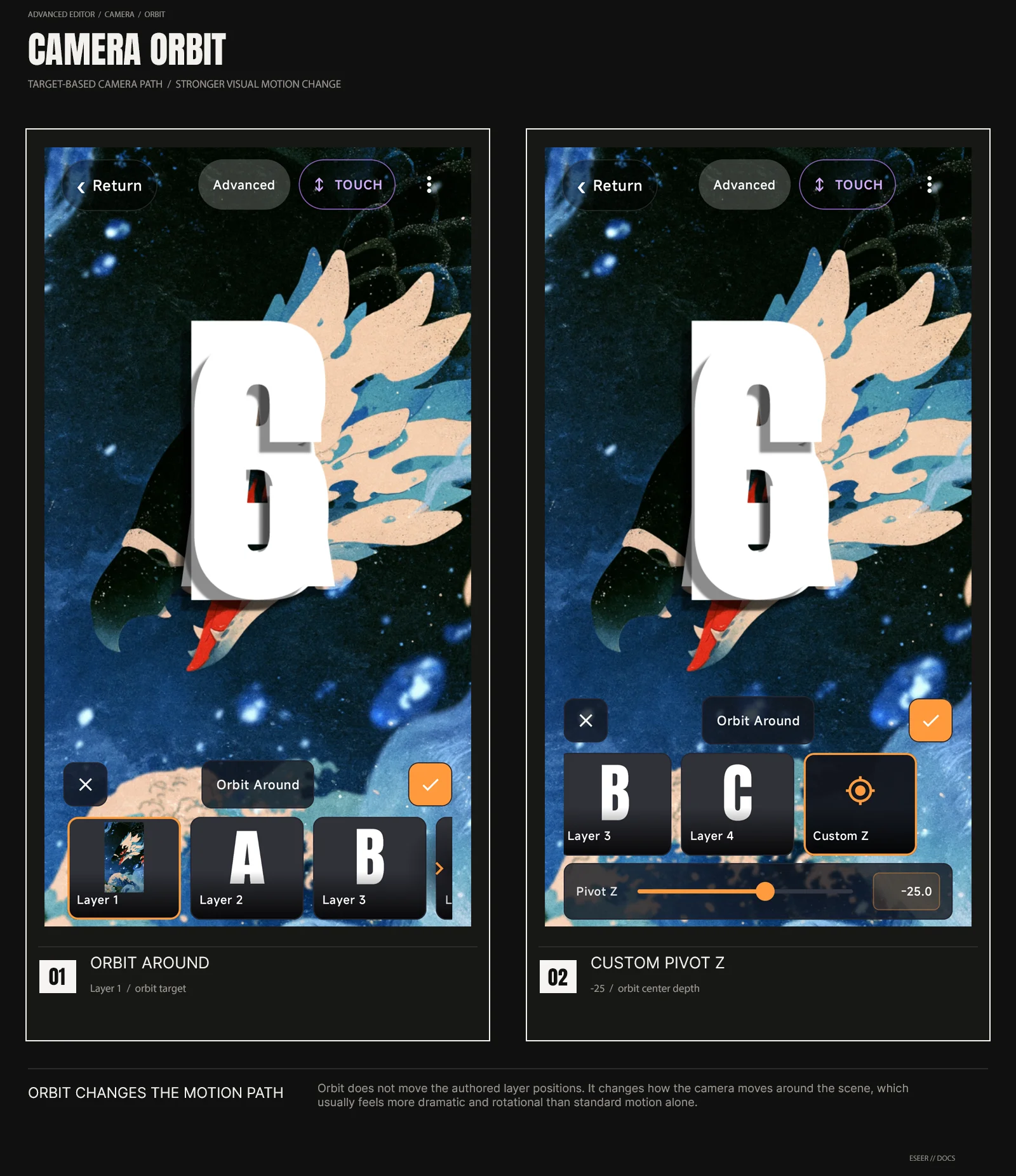
Added in v1.1.09Camera Orbit chooses the pivot depth used by the scene camera. A layer is selected by default, and changing that target can dramatically change the feel of the motion even when the same gyro or touch input is used.
Orbit changes the camera path
Camera Orbit defines the pivot the whole scene camera moves around. A layer target is selected by default, so there is no separate Standard / Orbit-off state in this editor. Choosing a different layer changes the pivot depth and can change the motion of the scene very noticeably; Custom Z lets you place that pivot depth manually.
| Control | What it changes | Typical use |
|---|---|---|
| Orbit Around | Selects the scene layer used as the camera orbit reference | Move the pivot to that layer's final rendered Z position |
| Custom Pivot Z | Moves the orbit pivot deeper or closer on the Z axis | Change the orbit radius / feeling of rotation without moving the authored layer positions |
Orbit, depth and authored positions
Changing the orbit target does not rewrite your authored layer X / Y / Z values. When a layer is selected, ESEER uses that layer's final rendered Z position as the orbit pivot depth. Custom Z replaces that automatic layer-based pivot with a manual depth value.
If Orbit feels weak, first check that the scene already has enough layer depth separation. Orbit is more impressive when the layer stack has meaningful Z spacing.