Dynamic Shadows
Added in v1.3.56Dynamic Shadows adds scene-motion response to layer shadows that explicitly opt in with React to Scene Light. Motion Strength controls the shared displacement, while Depth influence changes that response according to each layer's Z depth.
Dynamic Shadows
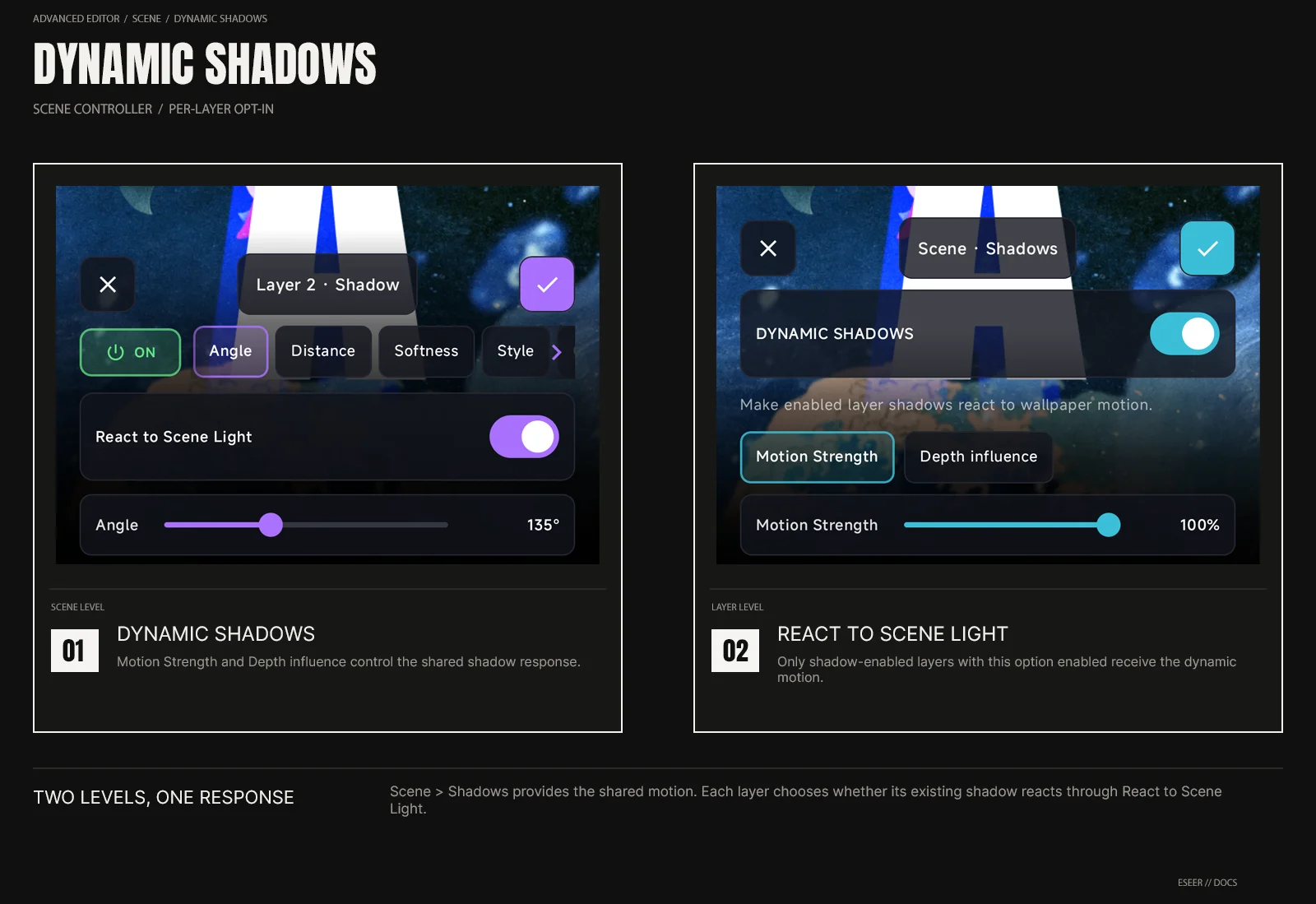
Dynamic Shadows is the scene-level controller for motion-responsive layer shadows. It does not create shadows by itself. A layer must already have Shadow enabled and React to Scene Light turned on before the scene controller can move that shadow.
| Control | Range | What it changes |
|---|---|---|
| Dynamic Shadows | On / Off | Enables or disables the scene-wide dynamic shadow motion |
| Motion Strength | 0 → 100% | Controls how far responsive shadows are displaced by scene motion |
| Depth influence | 0 → 100% | Controls how strongly each layer's Z depth changes its dynamic shadow response |
| React to Scene Light | Per layer · On / Off | Allows that layer's enabled shadow to receive the scene-wide dynamic motion |
Scene controller + layer opt-in
Enable Shadow on the layer
Open the layer Shadow controls and enable the shadow normally.
Enable React to Scene Light
This opts that layer into the scene-level dynamic shadow motion. With it off, the authored shadow remains static even when Dynamic Shadows is enabled.
Enable Scene · Shadows
Turn on Dynamic Shadows, then tune Motion Strength and Depth influence for the whole scene.
Motion Strength
Motion Strength controls the amount of dynamic displacement added to responsive shadows. At 0%, the dynamic offset is neutral. Higher values make the shadow reaction more visible while keeping the layer's authored shadow settings intact.
Depth influence
Depth influence uses each layer's Z position to vary its dynamic shadow response. At 0%, responsive layers use the same depth scale. As the value increases, nearer layers receive a stronger dynamic offset while deeper layers receive a weaker one.
| Depth influence | Result |
|---|---|
| 0% | No depth-based difference in the dynamic shadow displacement |
| Higher values | Nearer layers react more; deeper layers react less |
| 100% | Maximum depth separation used by the dynamic shadow response |
For the layer's own shadow appearance controls, see Layer Shadows.