Clipping Masks
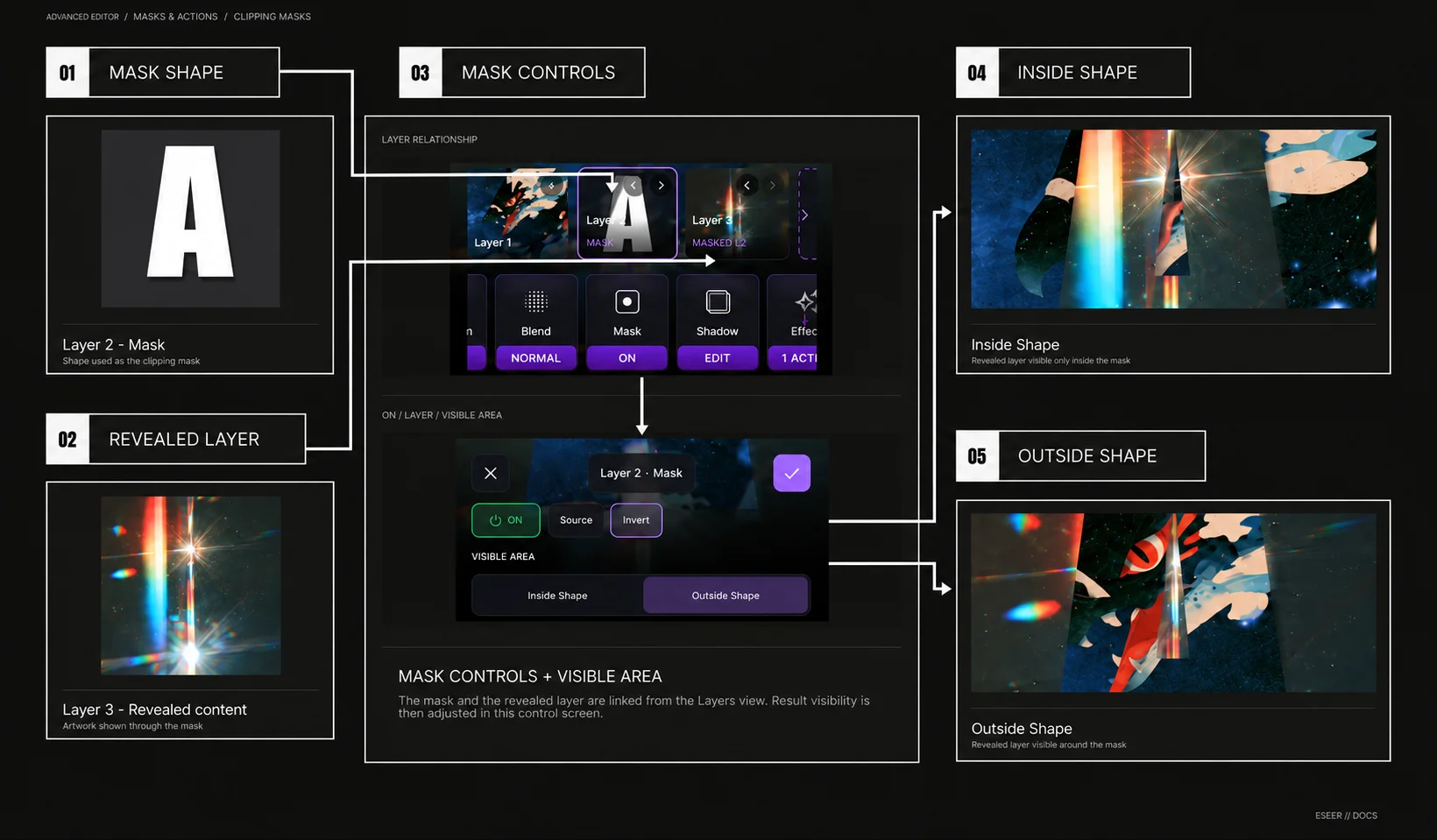
Added in v1.3.50Clipping Masks use one layer’s shape to reveal another layer. Choose the layer to reveal, then choose whether it is visible inside or outside the mask shape.
Clipping masks
| # | Control | What it does |
|---|---|---|
| 01 | Enable Mask | Turns masking on for the selected layer |
| 02 | Layer to Reveal | Chooses which layer is revealed; None removes the link |
| 03 | Visible Area | Chooses whether the revealed layer appears inside or outside the mask shape |
| 04 | Inside / Outside Shape | Shows the selected content inside the mask shape or in the area outside it |
| 05 | Cancel / Done | Cancel restores the opening configuration; Done keeps the current live edits |