The hardest part of creating a 3D parallax wallpaper isn't always the camera or the motion. Often, it's preparing the images.
Starting from a single picture usually means isolating subjects, removing backgrounds, and preparing transparent layers in another editor.
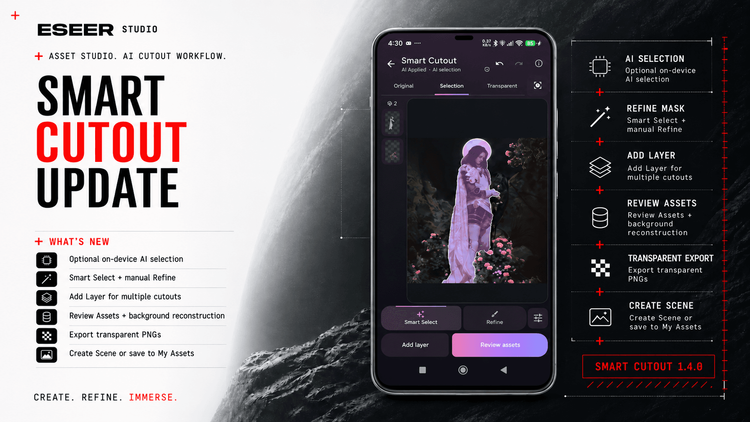
With ESEER 1.4.0, I wanted to make that process easier. The biggest addition is Smart Cutout, a new tool in Asset Studio designed to take you from one image to editable 3D layers.
From one image to separate layers
Smart Cutout lets you select an object or person and extract it as a transparent PNG, directly on your Android device.
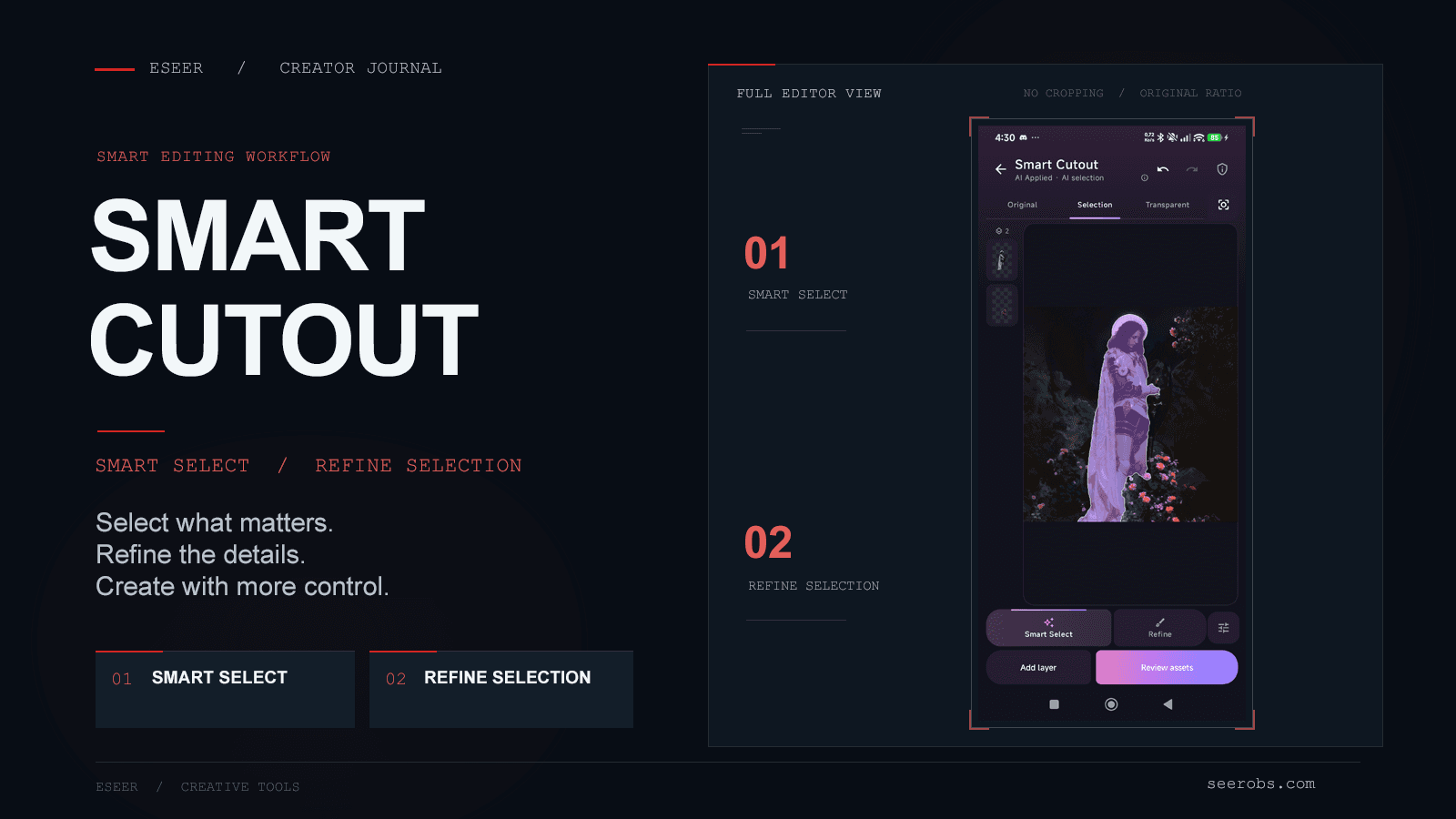
Its optional Smart Select mode uses Google's MagicTouch model to identify subjects through taps or strokes. You can refine the same selection with additional guidance.
For more control, Refine provides Paint, Erase and Release brushes, alongside threshold, feather and edge adjustments. You can preview the transparency and use Undo or Redo at any point.
The AI model is an optional download through Google Play. Once installed, it runs locally and works offline. Manual editing remains available without downloading the model.
More than a single cutout
One image can contain several elements worth separating.
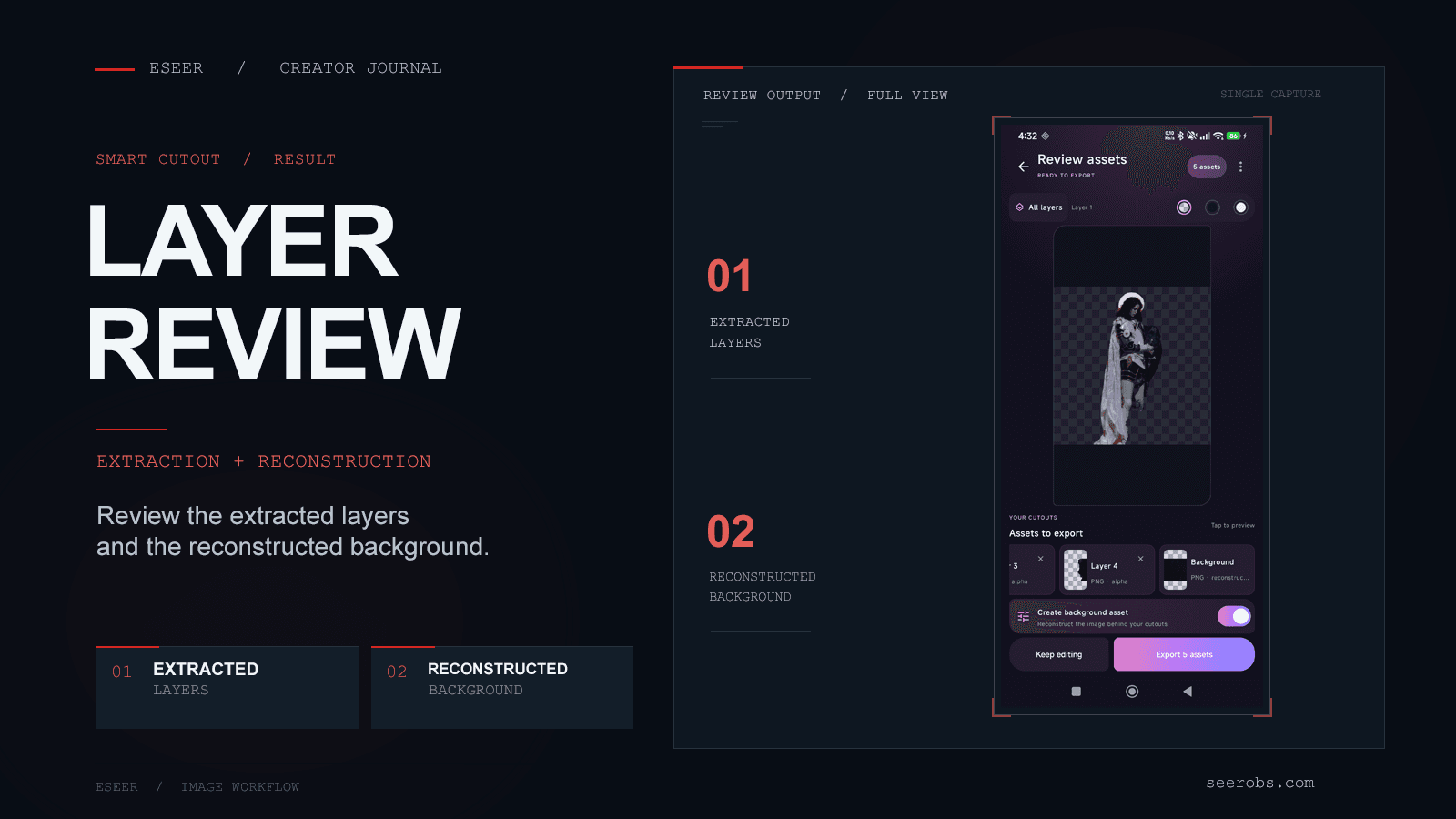
You can extract a subject, return to the original picture, and select another. Each cutout becomes an independent layer that you can review before exporting.
Smart Cutout also offers background reconstruction, filling areas left behind by extracted objects.
The result won't always be perfect, especially with complex backgrounds, but it can save a considerable amount of preparation. You can also skip reconstruction entirely.
Straight into the 3D Creator
I didn't want Smart Cutout to be just another image editing tool.
You can save your cutouts to My Assets or choose Create Scene to generate a new 3D project with the extracted layers already arranged.
From there, you can continue working in the 3D Scene Creator, adjusting depth, camera motion and effects as usual.
It doesn't automatically make every image a perfect parallax wallpaper. But it removes much of the preparation that previously happened outside ESEER.
For a more detailed walkthrough, including manual selection and export options, see the Smart Cutout documentation.
Other improvements from 1.3.82
Smart Cutout is the main addition in 1.4.0, but I also wanted to highlight a few improvements from the previous development cycle.
Depth Rebalancing makes it easier to adjust spacing between layers. You can preview Balanced, closer or custom arrangements before applying them, with an option to undo the change.
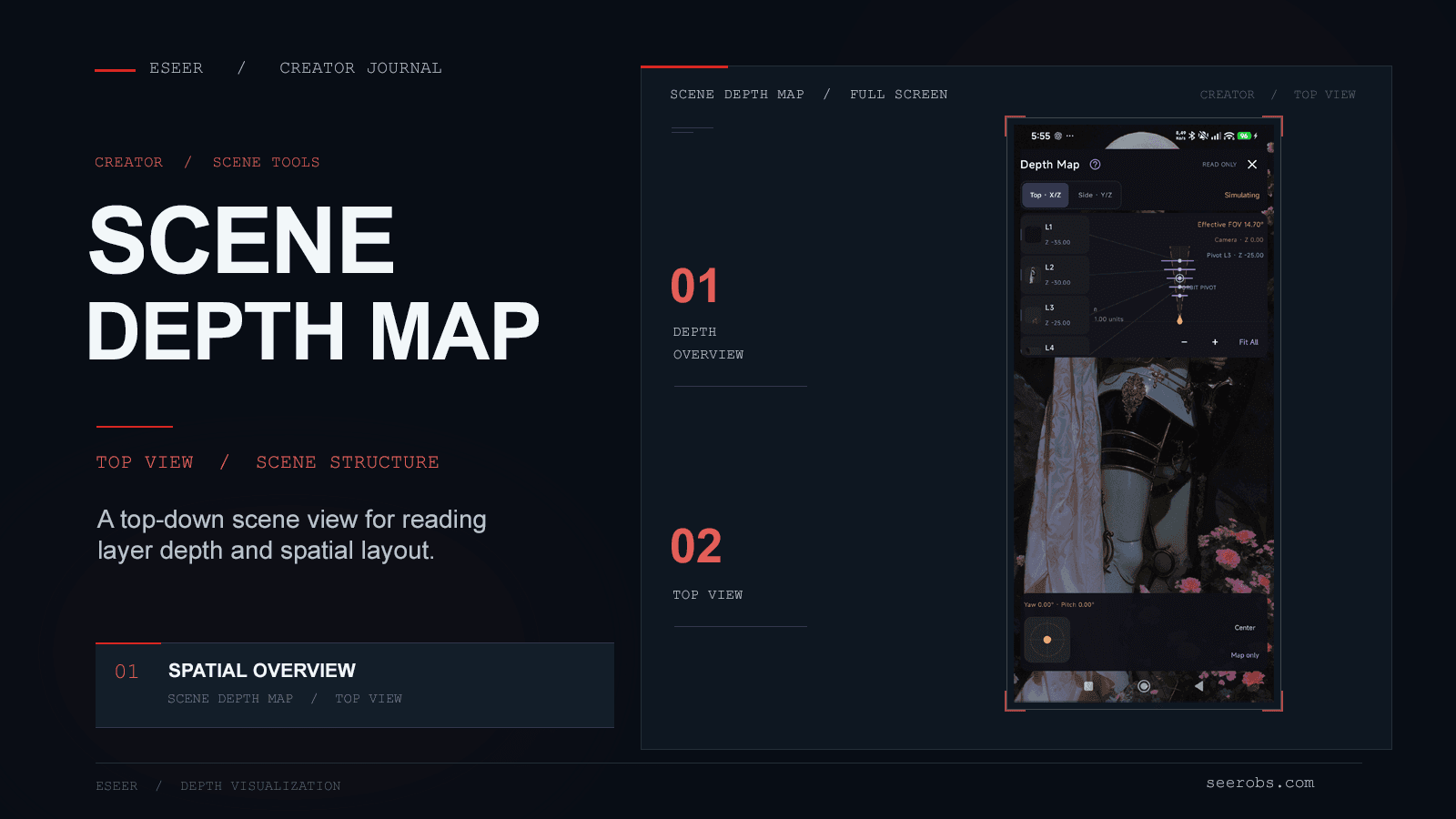
The new Scene Depth Map provides a visual overview of layer placement, helping you understand the depth of more complex compositions.
I also introduced Noise Reveal, an effect that reveals or hides layers through adjustable noise patterns, allowing for more organic transitions.
Alongside these additions, there have been improvements to preview framing, widget memory usage and general editor stability.
A more consistent creation experience
The creation interfaces have also received some attention.
Create & Manage, Asset Studio and Text Creator now share a more consistent visual style.
The redesigned Add Layer browser introduces clearer asset previews, search, categories, favorites and collections, making it easier to find and reuse your creations.
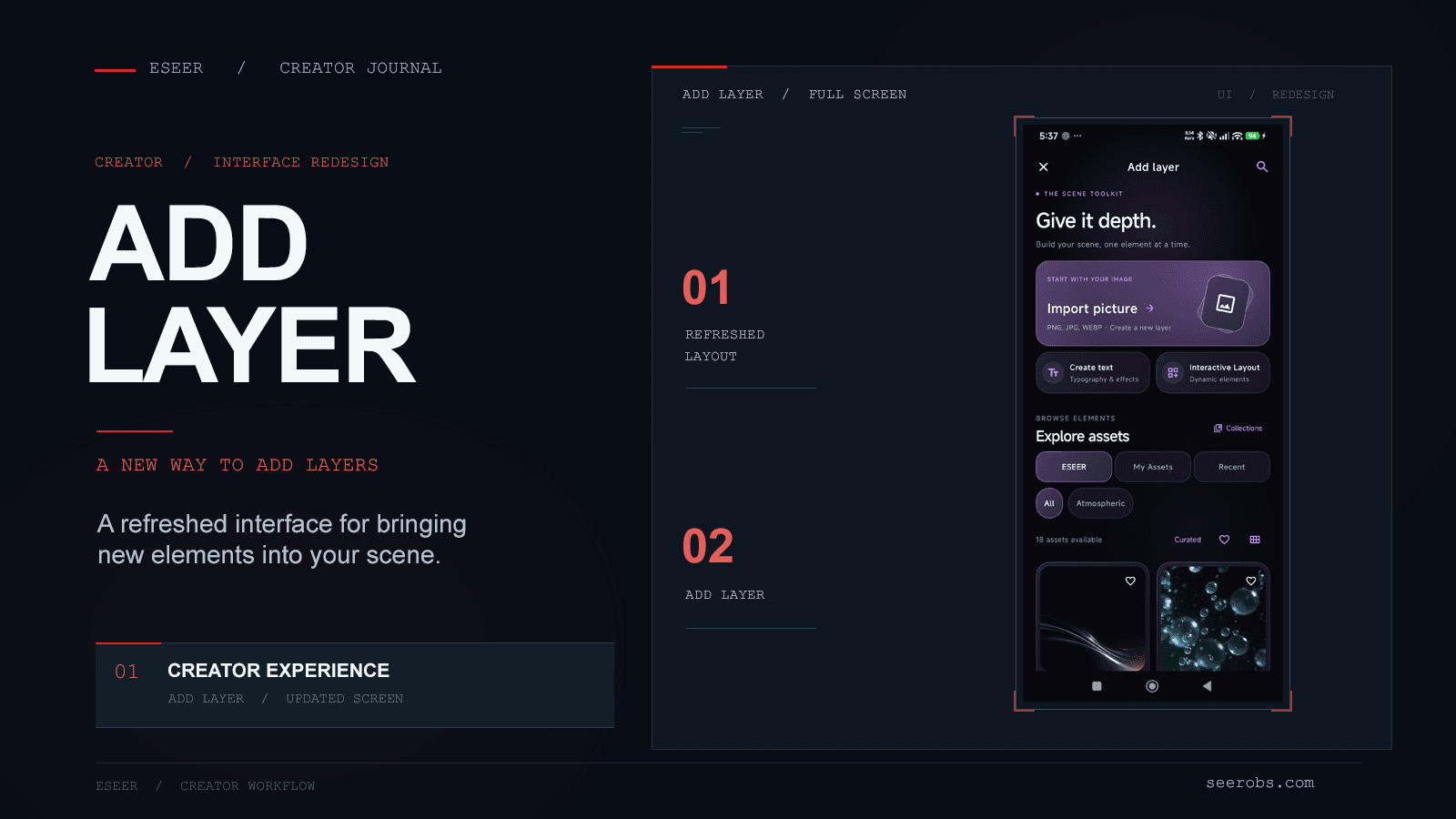
As I mentioned in my previous Creator update, the goal is to make ESEER's different tools feel connected rather than separate.
Making creation more accessible
Over time, I've added more advanced features to the Creator: layer effects, masks, shadows, intros and reactive animations.
But all those possibilities mean less if preparing the first layer remains a difficult step.
That's what Smart Cutout is really about.
It won't replace dedicated image editors for every complex composition, but I hope it makes creating your first parallax scene much more approachable, without taking away the advanced controls.
As always, thank you to everyone testing ESEER, reporting issues and sharing ideas. I'm looking forward to seeing what you create with this update.