In the last article, I talked about how the different parts of ESEER were finally starting to connect with each other.
Since then, most of my work has gone back into the 3D Creator.
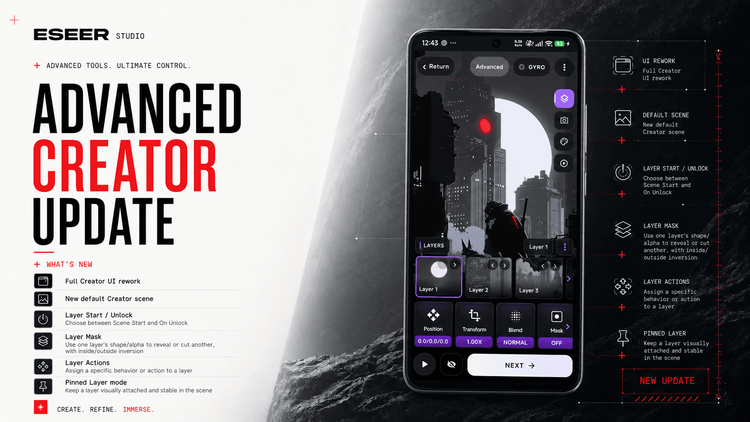
What initially started as another interface cleanup ended up becoming a much larger rework of both the Creator itself and the rendering engine behind it.
The biggest difference is that layers are no longer just images placed at different depths.
They can now have their own effects, masks, shadows, behaviors, actions and visibility rules.
And once all of these systems start working together, the kind of wallpaper you can build changes quite a lot.
The Advanced Creator was heavily reworked
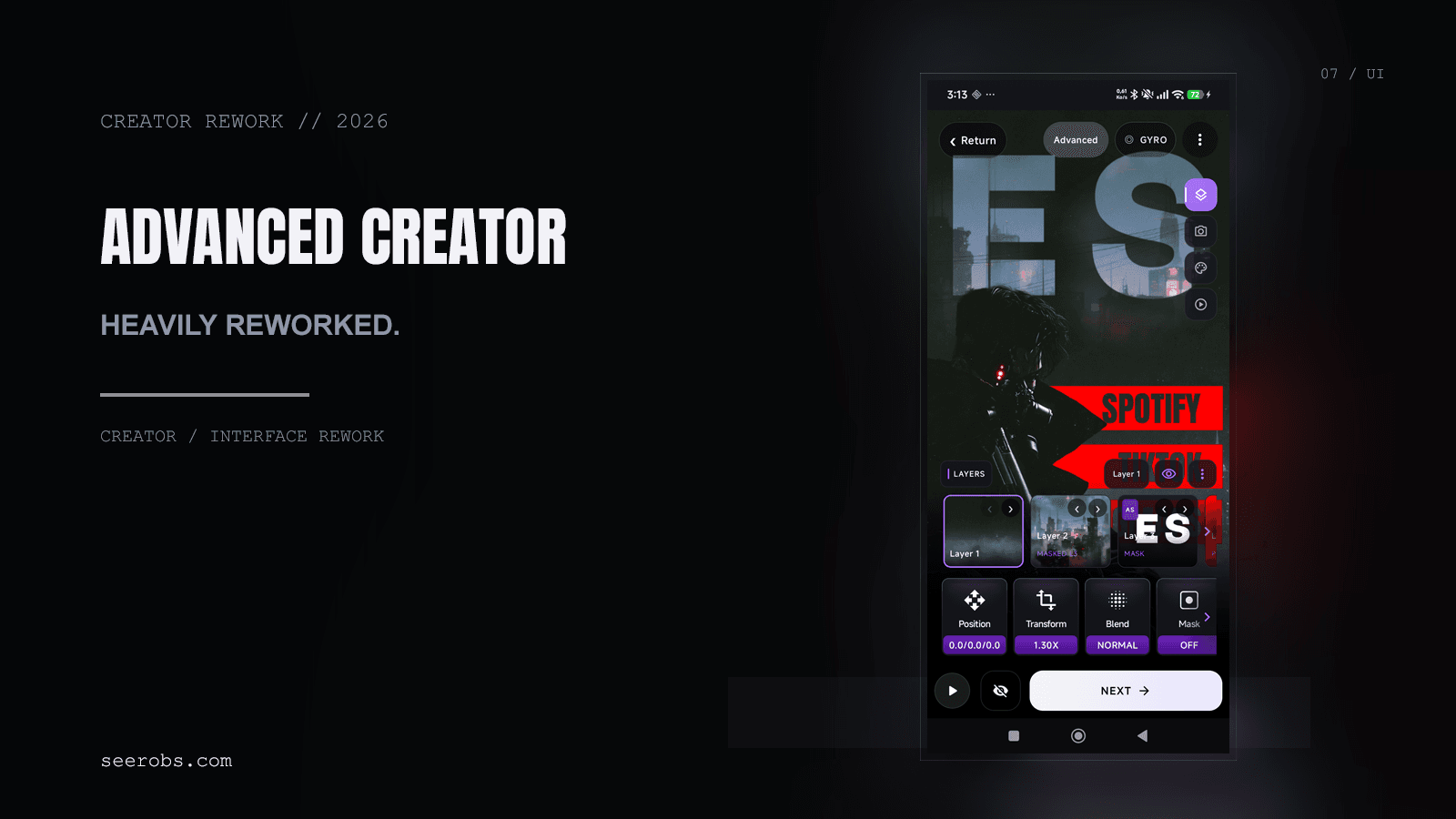
The Advanced Creator had accumulated a lot of features over time, but the interface was starting to show it.
Some controls were becoming difficult to find, several editors behaved differently from each other, and adding more features would have made the situation worse.
So a large part of the interface has been rebuilt around a more consistent structure.
Layers, Camera, Scene, Scene Effects and Intro now have clearer roles, and most of the deeper controls use the same editing patterns.
I also reworked a lot of the smaller interactions: layer selection, navigation between sub-editors, preview visibility, control hierarchy and many of the icons.
The goal wasn't really to make the Creator look completely different.
It was to make a much more complex Creator still feel understandable.
Layers can now do much more
This is probably the most important part of the update.
Until now, a layer was mainly an image with its own position, depth, scale, transform, blend mode and intro animation.
That is still there, but layers can now carry much more of the scene themselves.
Layer effects
Visual effects can now be applied directly to individual layers instead of only affecting the final wallpaper.
That includes effects such as Glitch, Chromatic Aberration, Digital Glitch, Slice Glitch, distortion and scanline-style effects.
This changes how effects can be used quite dramatically.
You can distort a hologram without affecting the environment behind it, add glitch only to a screen inside the wallpaper, or make one graphical element react completely differently from the rest of the scene.
And because these effects belong to the layer, several layers can use completely different combinations at the same time.
Layer Masks
Layers can now also be used as masks.
This makes it possible to use the shape or transparency of one layer to control where another layer is visible.
A very simple example would be placing an animated texture inside some text.
But it can also be used for screens, windows, holographic interfaces, portals, logos or more complex compositions where an effect should only exist inside a precise shape.
Combined with the Asset Creator, this becomes especially useful because text and graphical elements can be created directly inside ESEER and then used as part of the composition.
Pinned Layers and Layer Actions
There is also a new Pinned layer behavior.
A normal layer belongs to the 3D scene and moves with its perspective.
A Pinned layer instead behaves much more like a screen-facing element. It can still have controlled motion, but it remains visually much more stable while the 3D world moves behind it.
That might sound like a fairly small addition, but it becomes much more interesting when combined with another new feature: Layer Actions.
A layer can now launch an installed application when you tap it.
So a graphical element inside the wallpaper can effectively become an interactive button.
This starts to blur the line between a wallpaper and the rest of the homescreen.
For example, you could create your own icons or text labels in the Asset Creator, place them as Pinned layers, assign applications to them, and build them directly into the visual composition of the wallpaper.
If your launcher lets you remove or hide the regular app icons, you could take the idea much further and build something that almost behaves like its own custom interface.
A minimal sci-fi dashboard could have interactive labels built into the environment.
A retro computer wallpaper could use elements of the screen itself as shortcuts.
A futuristic HUD could keep its controls fixed while the environment behind them still has full 3D parallax.
Or you can ignore all of that and simply make one object inside a normal wallpaper tappable.
ESEER isn't becoming a launcher, but there is now a lot more room to experiment with the boundary between the wallpaper and the UI sitting on top of it.
Layers can ceact to unlocking too
Layers also have more control over when they appear.
They can be visible normally from the beginning, or appear when the device is unlocked.
The Creator includes a preview for this, so the lock-to-home transition can be tested directly while editing.
This makes it possible to design the lock screen and home screen as two states of the same wallpaper.
You could keep a scene very minimal while the phone is locked, then reveal interface elements, additional graphics or effects as you enter the home screen.
Combined with Pinned layers and Actions, it also means that interactive elements don't need to exist on the lock screen at all.
Intros have become much more flexible
The Intro system received another fairly large rework as part of this.
Layers can already move, rotate, scale and fade during their intro, but the new architecture makes it much easier to combine those animations with visual effects.
Layer FX and Intro FX now share much more of the same underlying system instead of being two completely separate implementations.
There are also more ways to control how individual layers appear and disappear, including Fade Out and Motion Blur.
The interesting part isn't really any individual effect.
It's combining them.
A foreground element can move into the scene while a hologram glitches into existence behind it, another layer can fade away after the intro, and UI elements can appear later when the device is unlocked.
The number of possible combinations is becoming very large, especially once masks, blend modes, shadows and layer-specific effects are involved.
At this point, the Creator is starting to feel less like a collection of isolated options and more like a small visual composition system.
Dynamic shadows
Another addition is dynamic layer shadows.
Instead of baking every shadow directly into an image, layers can now cast shadows that react to the scene and its movement.
I wanted to keep this relatively simple to use, because lighting systems can become complicated very quickly, but it adds quite a lot when separating foreground elements from the layers behind them.
It is especially useful for graphical assets, floating objects and compositions where the depth needs to remain readable while the wallpaper moves.
Faster layer import
There are some workflow improvements too.
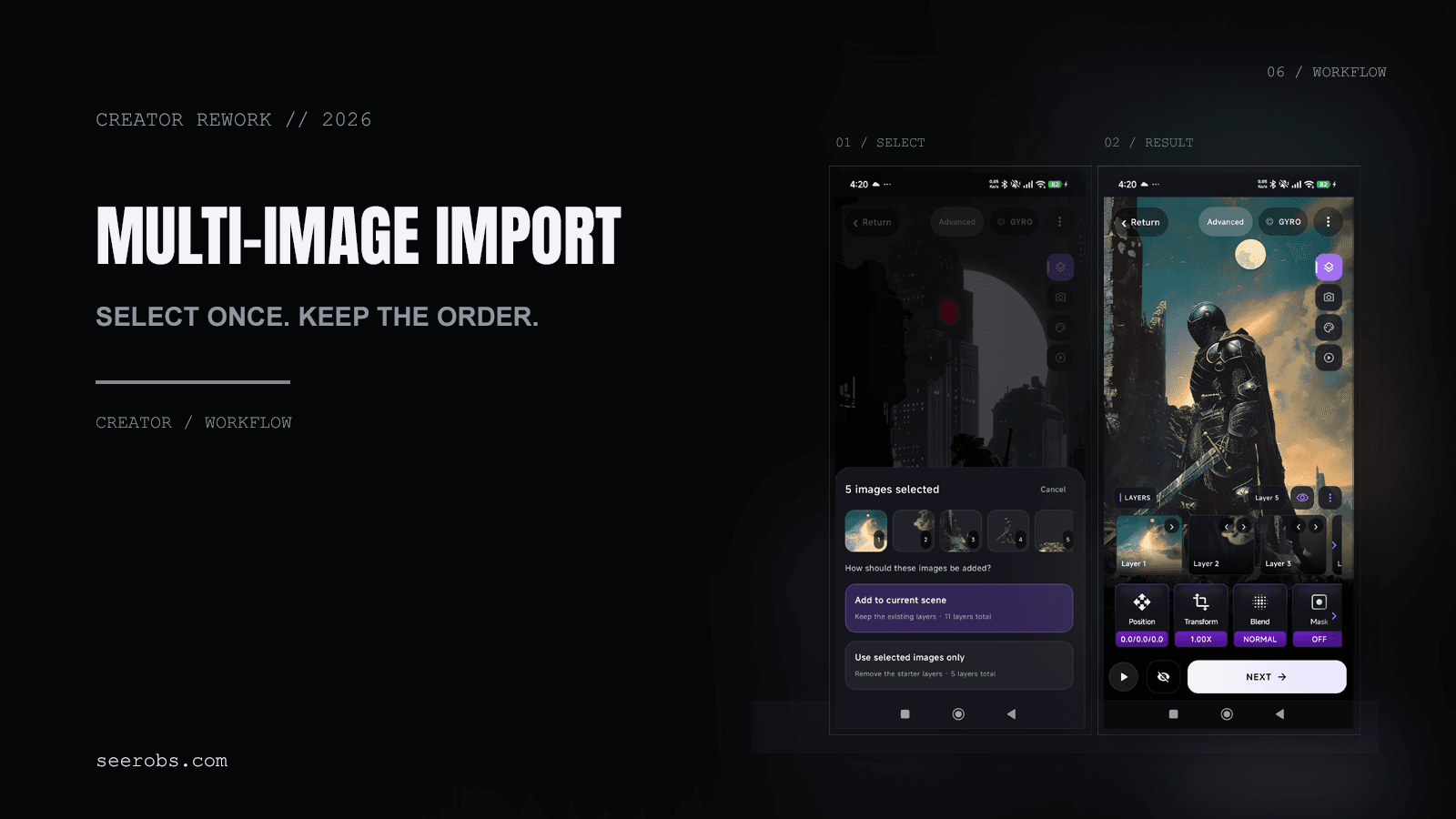
Multiple images can now be selected and imported as layers in one operation while preserving their order.
It sounds much less exciting than shaders or masks, but for scenes built from a lot of exported assets it removes quite a bit of repetitive work.
The rendering engine had to change too
Adding all of these systems created another problem.
I didn't want a simple wallpaper to become heavier just because the Creator is capable of doing more complicated things.
Previously, parts of the rendering pipeline were much more eager: shaders and rendering resources could be prepared even when a particular wallpaper wasn't actually going to use them.
That approach becomes increasingly wasteful when the number of possible effects keeps growing.
So a large part of the Orbit rendering pipeline has been reworked to become more demand-driven.
Shaders are now much more specialized around the effects a scene actually needs, and additional rendering targets are created only when the current composition requires them.
There is also more reuse and caching of shader programs instead of maintaining one increasingly enormous shader that has to account for every possible feature.
In simpler terms: adding more capabilities to ESEER should not mean every wallpaper has to pay the full cost of all of them.
A simple parallax wallpaper should remain simple.
A complex wallpaper with several Layer FX, masks and post-processing effects can use the additional rendering stages it needs.
This work also included more changes around OpenGL startup, wallpaper resume behavior and renderer lifecycle.
Those changes aren't particularly exciting to show, but they're increasingly important as scenes become more complex and Android moves the wallpaper between previews, the lock screen, the home screen and background states.
The interesting part is pombining everything
Individually, a mask, an action or a shader isn't necessarily a huge feature.
What I'm much more interested in is what happens when all of these systems are combined.
You can create an asset in the Asset Creator, use it as a mask, apply an effect inside it, keep another element Pinned to the screen, make that element launch an application, animate several other layers during the intro and reveal additional controls only after unlocking.
Or do something completely different.
There isn't really one intended way to use the Creator anymore.
You can still make a very simple three-layer parallax wallpaper in a few minutes.
But if you want to spend much longer building something that feels more like an animated scene, a game menu, a futuristic interface or an interactive piece of artwork, the tools are starting to be there too.
That's probably the direction of ESEER I find the most interesting right now.
Not just adding more effects, but making all of the different systems work together so they can be used in ways I didn't necessarily plan for.
What’s next?
There is still a lot I want to improve, especially now that the foundations for Layer FX, Actions, Masks and the new rendering architecture are in place.
But this update was an important step.
The Creator started as a way to arrange a few images in 3D.
It's slowly becoming something much broader: a system for building interactive, animated compositions directly into an Android live wallpaper.
And I'm very curious to see what people actually build with it.