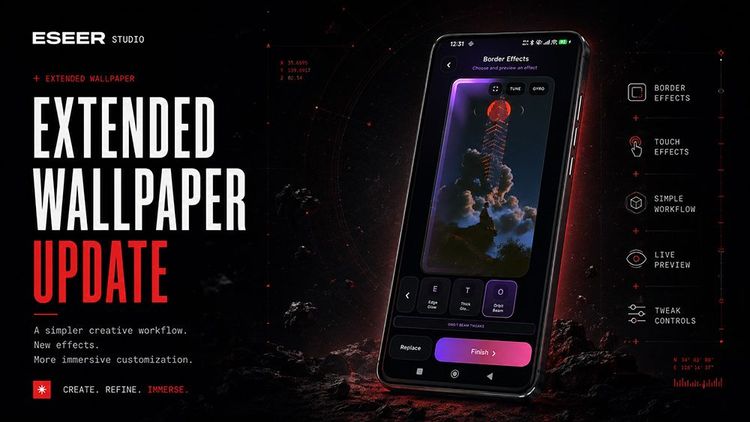
Until now, ESEER only allowed you to create wallpapers with depth by using layers inside a fully 3D scene.
This major update opens a second approach, simpler and designed to let you add effects to your own wallpapers.
Extended Wallpapers
A 3D wallpaper uses several layers with transparency to create depth, but I received some pretty interesting feedback. Some users also wanted simple effects that could be added to 3D scenes.
That made me think: why not create another engine at the same time, something simpler that starts from a single image?
The main difficulty with a 3D wallpaper is preparing and cutting out the images, but also understanding how to position things inside a 3D space. That isn't accessible to everyone.
With Extended Wallpapers, no preparation is required anymore. Load your image, add your effects!
Edge Lighting Effects
For this release, there are currently two animated border effects and one touch effect.
The effects available today are also a foundation for the future effects that will be added in the next releases.
Edge Glow
Edge Glow is a fairly simple and subtle border effect. It adds a soft, diffused glow around the image, with a flowing light that moves clockwise around the screen.
Gyroscope movement changes the intensity of the effect.
Several settings are available:
- base intensity;
- border thickness;
- effect speed.
Three color palettes are currently available: Ultraviolet, Ion, and Velvet.
Orbit Beam
Orbit Beam is much more visual.
One or three fairly thick light beams rotate around the edges of the screen. There are also quite a few cool parameters available to customize the effect.
Touch Effects
Reality Rift
Reality Rift is a touch effect that reproduces a slash when you fling your finger across the wallpaper, together with a distortion effect.
Tapping the screen triggers a different effect: a kind of black hole, surrounded by a distorted area.
New Creator Features
Of course, the Creator is still the main part of ESEER for me, and several features that had been on my to-do list were finally added.
New Blend Modes
New blend modes were added to give you more possibilities when combining layers: Overlay, Soft Light, Hard Light, Color Dodge, Color Burn, Difference, Exclusion, Negative
Layer Fade In
Layer Fade In lets you make a layer appear progressively with a transparent fade.
Clear Image
Clear Image lets you remove the image from a layer and replace it with a tiny transparent WebP.
This is useful when you want to define a neutral orbit or rotation point without displaying an actual image.
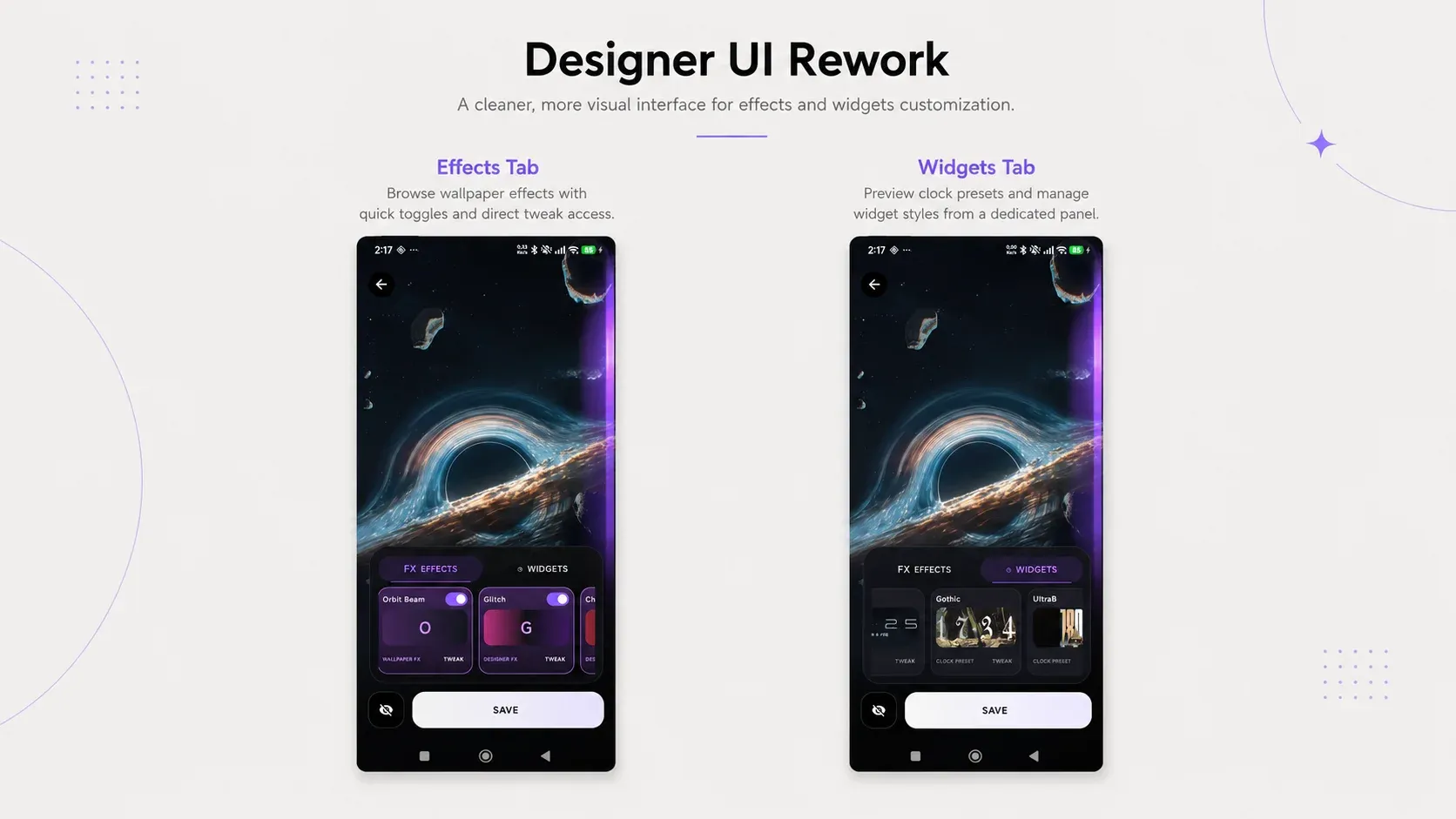
Designer UI Rework
The previous version of the Designer wasn't very intuitive. It was based on an older visual design and had too many controls shown in the same place.
The new version has more clarity and looks a little more like the Creator, mainly to avoid having too many differences between both interfaces.
I also obviously integrated the new border and touch effects into it.
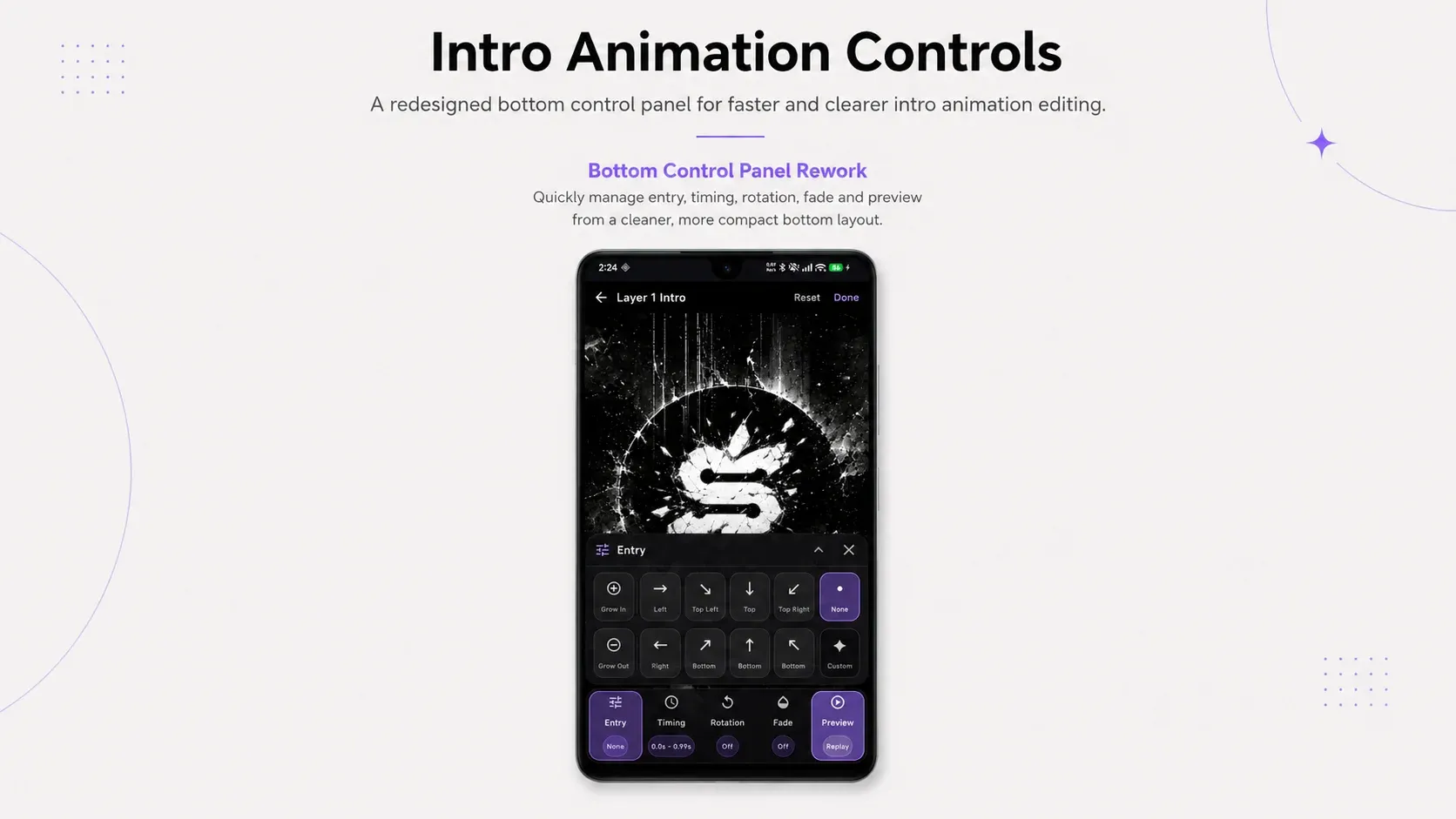
Creator Intro Interface Rework
While adding Layer Fade In, I realized that the controls were taking up almost 70% of the screen.
I had to rethink almost everything, and the only solution I found was to use the same type of control bar as the one already used in the Advanced Camera tab.
Gyroscope Rework
Without going into too many details, the gyroscope is one of the most difficult systems to make consistent and stable on Android.
There are many different phone models, and they don't all react in the same way.
With this update, you should get:
- more consistent movement between the different parts of the app;
- cleaner transitions between the gallery, preview, and wallpaper;
- better handling of the reference position;
- fewer jumps or strange recalibrations;
- more stable behavior after fast movements.
Two Different Ways to Create
Extended Wallpapers don't replace 3D wallpapers. They add a second way to create something dynamic, with a much simpler and more accessible workflow.
You can now start from a single image and directly add border or touch effects, without having to cut out and prepare several layers.
On the other side, the 3D Creator also continues to evolve, with more possibilities for users who want to go further when building their scenes, including the new blend modes, Layer Fade In, and workflow improvements such as Clear Image.
This first version of Extended Wallpapers also serves as a foundation.
More border effects, touch effects, and probably more general effects will be added in future updates.