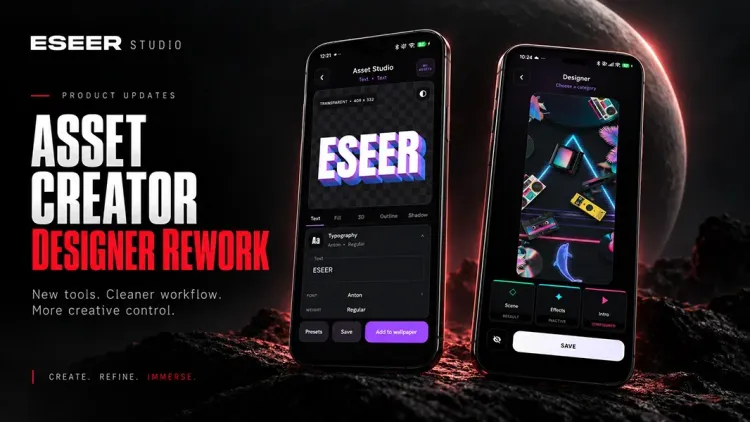
ESEER has evolved quite a bit as a 3D live wallpaper app since the launch of Extended Wallpapers.
The last one was pretty much around the launch of Extended Wallpapers, and quite a lot has changed since then: many new effects, a much more complete intro system, a major Designer redesign, a lot of work on gyro and stability, and more recently the arrival of the Asset Creator.
So here’s a quick recap of the most important changes up to version 1.3.52.
A Lot More Effects for Extended Wallpapers
This is probably the part that evolved the most right after Extended Wallpapers launched.
I added quite a few new effects, especially around Glitch, Screen Effects and Touch Effects, while also reworking several existing ones.
One of the biggest additions is Holographic Foil.
The idea is to reproduce the kind of shifting, iridescent reflections you get from holographic foil, diffraction materials or reflective surfaces. Colors and highlights move across the wallpaper instead of simply applying a static rainbow overlay, which makes the effect especially interesting once it reacts to the wallpaper motion.
It has gone through several major revisions since its first implementation, with better reflections, color transitions, lighting and overall movement.
Depending on the wallpaper and the settings, it can go from a fairly subtle iridescent sheen to something much more colorful and reflective.
I also added new glitch effects such as Digital Glitch and Slice Glitch, which can produce very different results from the more traditional screen distortion effects.
There is also now a whole Atmospheric category, with particles, smoke, bokeh, light leaks, lens flares, god rays and more.
Definitely try experimenting with these, especially with different blending modes. I’ve been genuinely surprised by some of the combinations you can get.
The idea was to have effects that don’t just modify the original image, but can also help build an entire atmosphere around it.
Intros Have Become Much More Advanced
The intro system has also changed quite a lot.
At first, intros were mostly classic animations applied to layers or the camera. Now those animations can be combined with VFX and Reveal Effects.
I added several Reveals such as Diagonal Shards and Radial Fragments, which can make a wallpaper appear in a much more visual way than a simple fade.
The system behind them was also reworked so animations, VFX and Reveals can combine, replay and reset more reliably.
A Lot of Work on Gyro and Motion
This one is less spectacular to show in an article, but it required quite a bit of work.
Android sensors can behave surprisingly differently from one device to another, so several changes were made to make motion more stable and consistent.
I also added a Gyroscope Compatibility Mode for devices that behave better with the older motion pipeline.
Touch + gyro interaction and the way motion resumes after unlocking the device have also been improved.
The Designer Was Almost Completely Rebuilt
The old Designer was honestly starting to feel quite dated compared to Extended Wallpapers.
So I decided to rebuild it around a structure much closer to the other editors in the app.
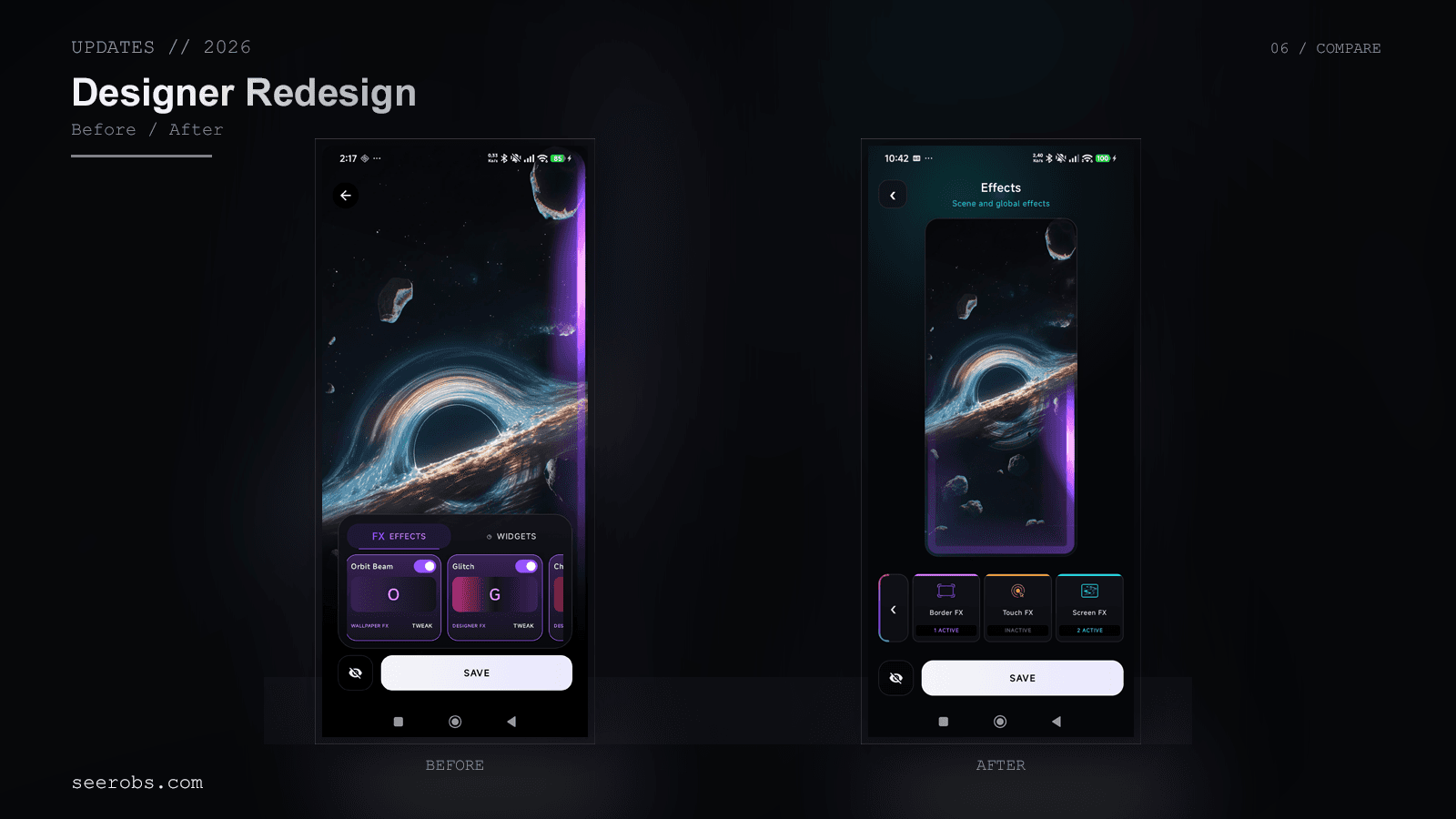
Navigation is now separated into Layers, Camera, Scene, Effects and Intro, with a much cleaner and more consistent interface.
Effects and Intros also share more of the same systems used by Extended Wallpapers, instead of having several completely separate implementations doing almost the same thing.
The Asset Creator
The big addition in 1.3.50 is obviously the Asset Creator.
Originally, I mostly wanted a way to create more interesting text directly inside ESEER. In the end, it became quite a bit bigger than I expected.
You can now play with fonts, colors, textures, patterns, gradients, outlines, shadows, 3D projections, bevel, grain and quite a few other parameters.
There are also multiple presets and a randomizer for quickly trying completely different combinations.
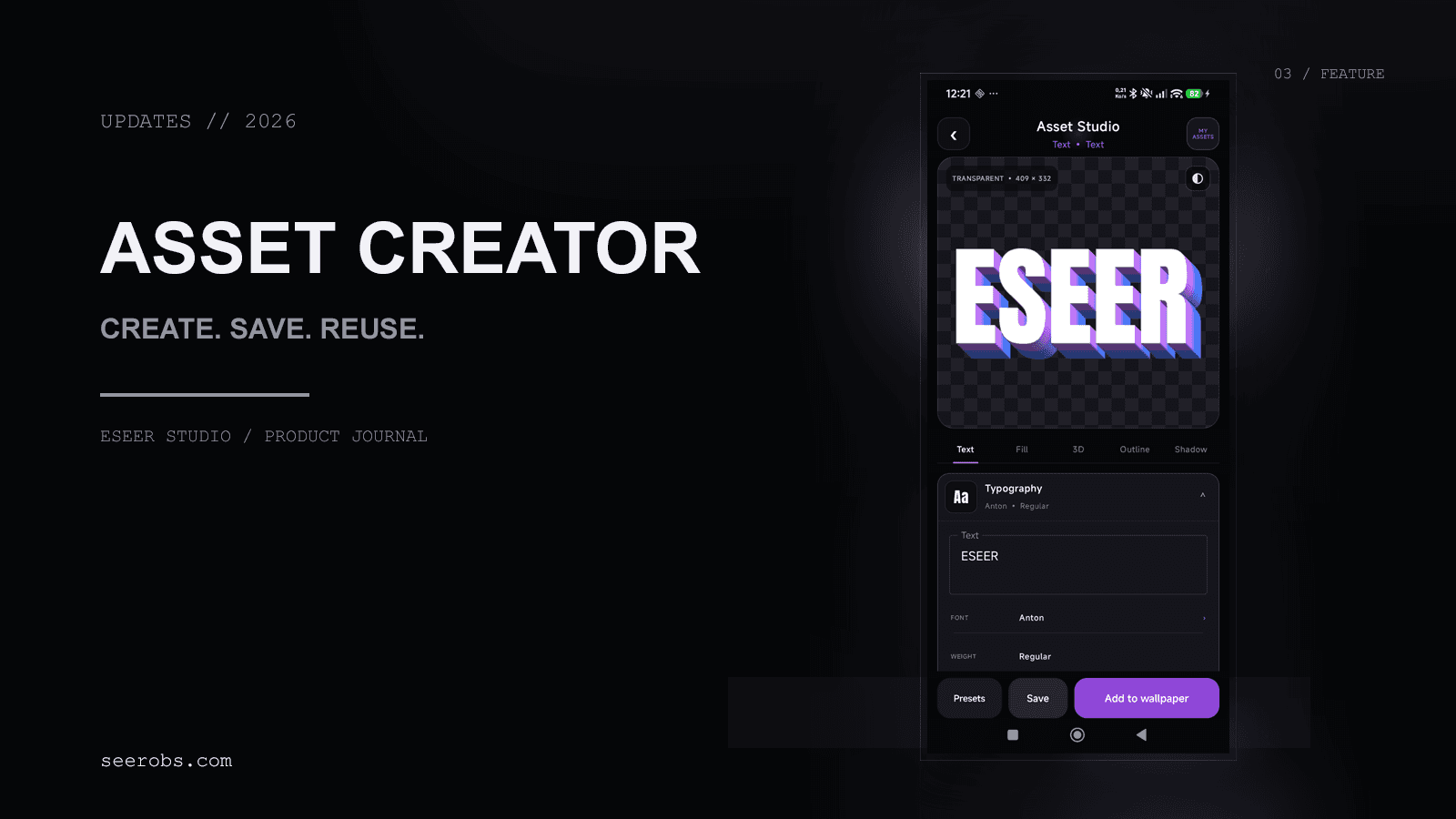
The goal obviously isn’t to replace a full design application, but rather to make it possible to quickly create graphical elements directly inside ESEER without having to jump to another tool first.
The Asset Creator can be opened by adding a layer in the Creator, or in the Extended Wallpaper creation under Overlays > Elements > "Text"
Creations Can Be Saved, Edited and Reused
I really didn’t want the Asset Creator to just be an image generator.
Creations can therefore be saved to My Assets, edited again later and reused across different wallpapers.
They can be added to regular 3D wallpapers as well as Extended Wallpapers.
And inside Extended Wallpapers, those elements can react to the parallax too.
That’s probably the part I find the most interesting: the Asset Creator is starting to connect with the rest of ESEER instead of being a completely isolated feature.
Add Layer Was Reworked Too
With custom creations becoming part of the app, the old Add Layer interface was getting too small and wasn’t particularly pleasant to use anymore.
So I redesigned it to give the asset library much more space and make navigation clearer.

Compatible assets can also be edited directly from this interface.
A Lot of Invisible Work Too
A good part of the recent updates has also gone into things you barely see, but that had become pretty important for stability.
1.3.50 already introduced a major carousel memory rework to avoid keeping too many large textures loaded at the same time.
In 1.3.52, I pushed that further by rebuilding part of the carousel and OpenGL preview lifecycle. This fixed several ANR, freeze and black-preview cases that could happen while switching between wallpapers.
I also fixed a crash in Extended Wallpapers where an image could sometimes be released while Compose or OpenGL was still using it, and added more safeguards around very large images in the Creator.
Not the most exciting part to show, but increasingly important as wallpapers and custom assets become more complex.
What’s Next?
What I find most interesting after all these updates is that the different parts of ESEER are finally starting to connect with each other.
Extended Wallpapers bring the effects.
The Designer gives you much deeper control over wallpapers.
The Asset Creator now lets you create your own graphical elements.
And those elements can then be reused across the other editors.
There are obviously still quite a few things I want to add, and some of them are already in development, but that will be for next time.
As always, thanks to everyone testing new versions, reporting bugs, and sending me ideas or creations. A good part of the improvements from the last few months came directly from your feedback.