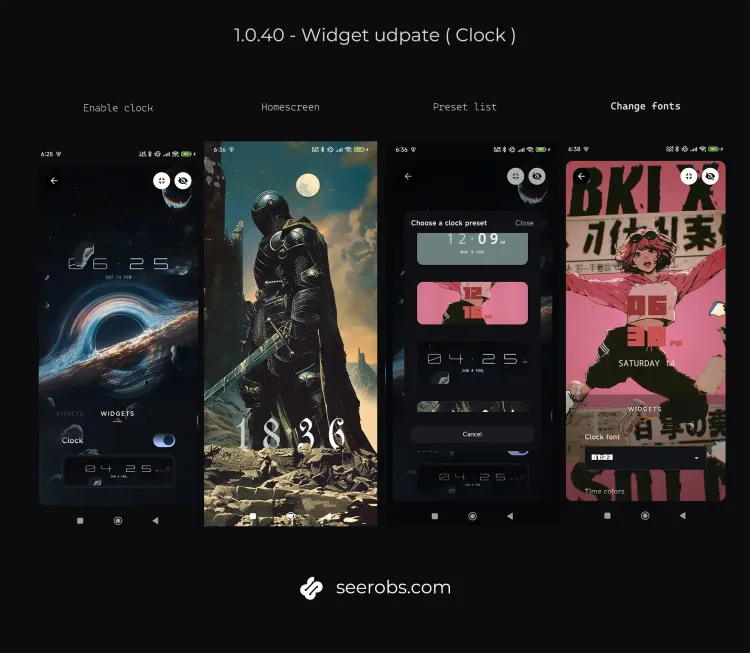
After quite a bit of testing and rewriting parts of the pipeline, I’m finally pushing the first version of the Widgets system.
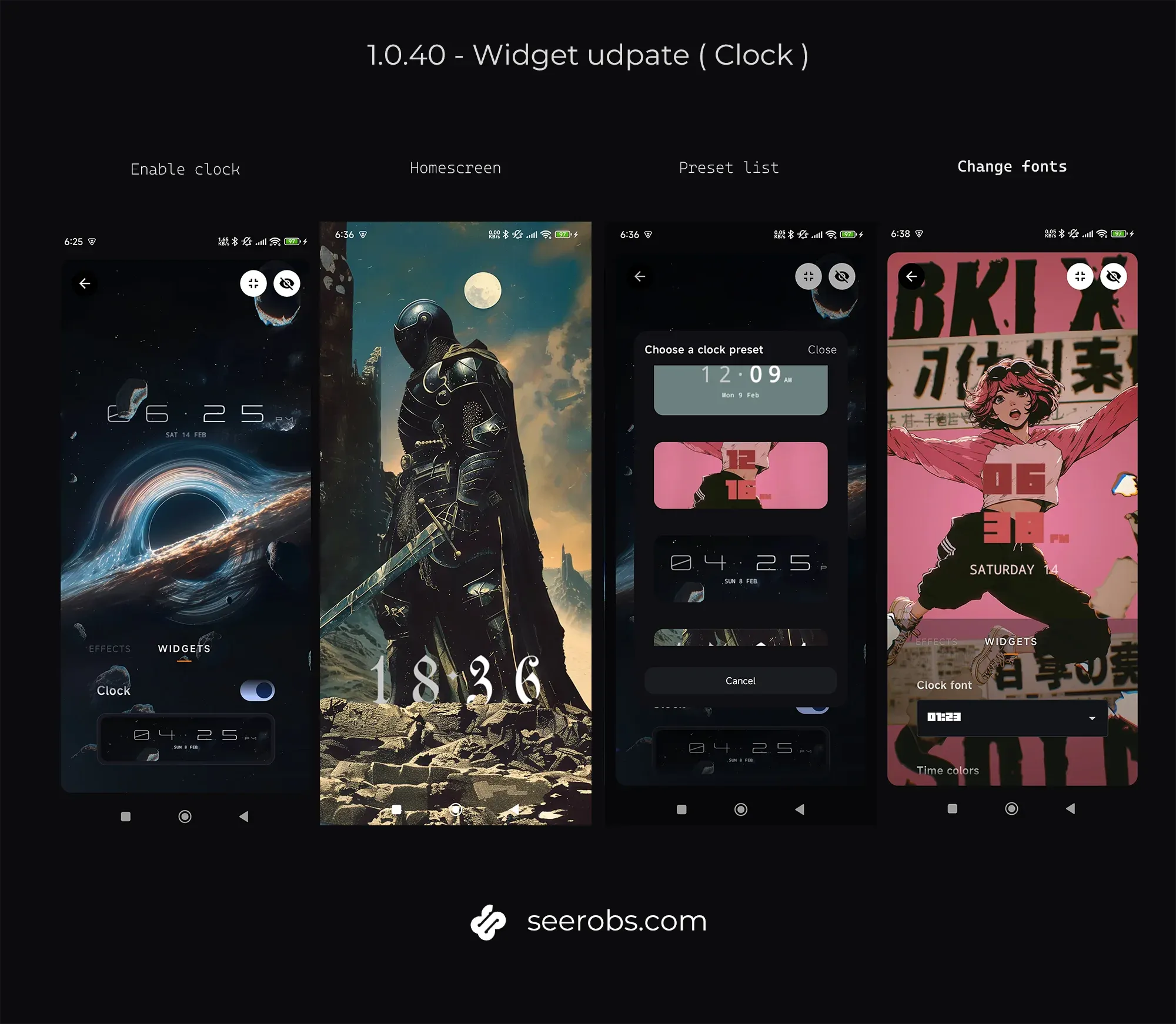
In v1.0.40, you can now place a Clock directly inside your 3D Live Wallpapers.
Not on top of them.
Inside them, completely integrated with the 3D world of the wallpaper, benefiting motion and effects !
This is the first small step toward something I’ve had in mind for a while — UI elements that actually belong to the 3D world instead of floating above it.
A clock that feels part of the scene
The idea behind this was pretty straightforward:
If the clock feels like an overlay, it fails.
So instead of drawing it last and sticking it over everything, you can now insert it between layers.
You decide where it lives.
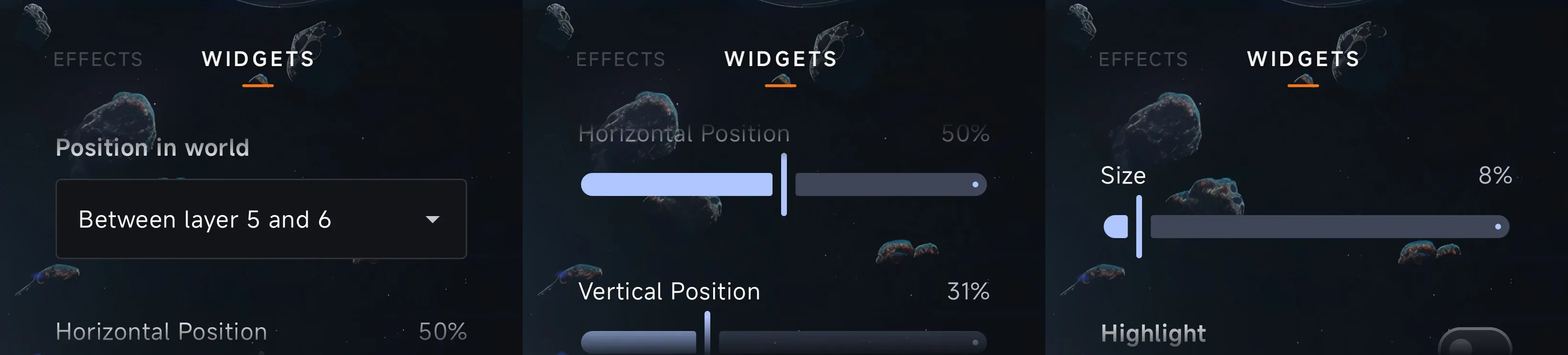
You choose:
Which layers it sits between (this changes how strong the motion feels),
Where it stands horizontally,
Where it sits vertically,
And its overall scale.
Move it closer to the foreground and it reacts strongly when the phone moves.
Place it deeper and the motion becomes softer, more subtle.
It’s a small parameter on paper, but visually it completely changes the atmosphere.
Styling without overcomplicating things
The clock itself is flexible, but I tried not to turn it into a settings monster.
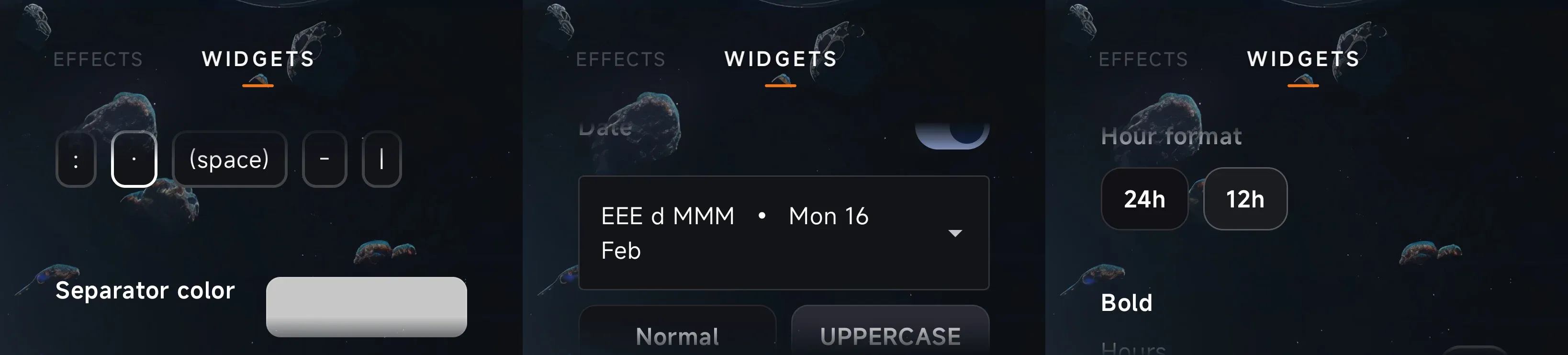
You can switch between 12h and 24h (AM/PM included).
Hours and minutes can be styled independently.
There are multiple font options, ( more will come as it is easy to add ).
Colors can be set separately for hours, minutes, and the separator.
And there’s an optional date line if you want something more informative.
The goal wasn’t “maximum features”.
It was to make different moods possible — minimal, futuristic, ambient — without getting lost in configuration.
Connected to the Designer
This widget plugs directly into the Designer page introduced in v1.0.30.
As you move it around or change settings, the preview updates immediately. You can see how depth affects motion in real time.
There’s no difference between preview mode and the live wallpaper behavior — what you see is exactly what you get.
Where this is going
This is only the beginning.
Next steps will likely include:
Alpha and blending modes,
Fully separated positioning for each clock element,
Outline and more advanced typography styling,
Possibly glow and shadow options.
I hope you will like the update, it was challenging but I love the output !