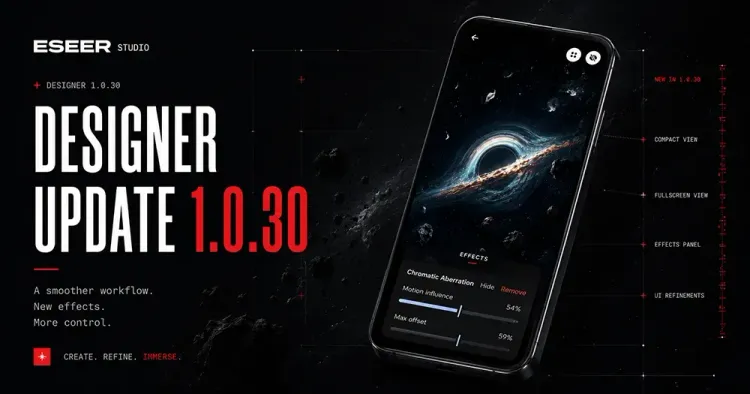
After days of rough testing, I’m really pleased with this new update.
With v1.0.30, you can now add persistent motion-based or static visual effects to any of your 3D Live Wallpapers, directly from a brand-new Designer page. This is something I’ve wanted to add for a while, and it finally feels ready enough to share.
A new Designer page

The Designer now comes with two layout modes:
Compact mode focuses on the live preview and quick adjustments.
Extended mode displays the 3D view in fullscreen, with the controls overlaid on top of it, so you can tweak effects while seeing the result immediately.
The goal here is to stay in the creative flow without constantly switching views.
New visual effects
Two effects are available in this first iteration.
Chromatic Aberration simulates an RGB separation by offsetting the color channels. It comes with three parameters:
Motion Influence, which controls how strongly the effect reacts to motion (gyroscope or touch),
Max Offset, which defines the maximum distance between the color channels,
Static Intensity, if you want the effect to stay visible even without motion.
Glitch creates temporary digital distortion by shifting blocks of pixels, producing a broken or unstable image effect:
Motion Influence works the same way as Chromatic,
Block Size controls the size of the randomly generated pixel blocks,
Static Intensity applies a constant glitch effect, even when nothing moves.
These effects are applied globally for now, which keeps things simple and consistent across wallpapers.
A quick note about testing
The effects are still in an experimental phase. Depending on the device, they may not always be as smooth as in my preview videos, and behavior can vary a bit.
Saving per-wallpaper tuning is already planned and will come in a future update.
Performance and size improvements
Alongside the new features, this update includes:
Many minor bug fixes,
Better touch motion handling,
A much lighter app package: around 5 MB, compared to 20 MB in the previous release.