This update finally adds two things I’ve been waiting for: blending modes and overlays. Both work right inside the Creator, and they run smoothly in the Android app too.
If you love tweaking your wallpapers—making them glow, adding atmosphere, or tossing in subtle UI details—this update’s for you.
Blending Modes (Screen / Multiply / Add)
Now you get to decide exactly how each layer mixes with the ones behind it—just like you would in Photoshop or After Effects. With Eseer’s parallax, though, the lighting actually shifts with depth. It looks incredible.
Here’s what you get:
- Screen – brightens things up, perfect for fog, glow, or soft atmosphere
- Multiply – darkens, adds shadows and depth
- Add (Linear Dodge) – cranks up neon and highlights
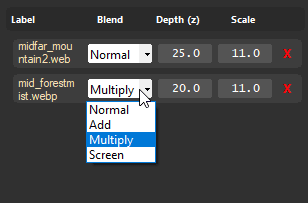
It’s a small dropdown in the editor, but honestly, it opens a lot of possibilities.
Some ideas:
- Soft haze behind a character
- Shadowy corners (vignette)
- A neon ring in the background
- Light rays stretching across space
- Magic particles glowing on top
Just flipping the blend mode can bring a plain picture behave differently.
Blending mode example:
There is only two layers and one overlay in this live wallpaper :
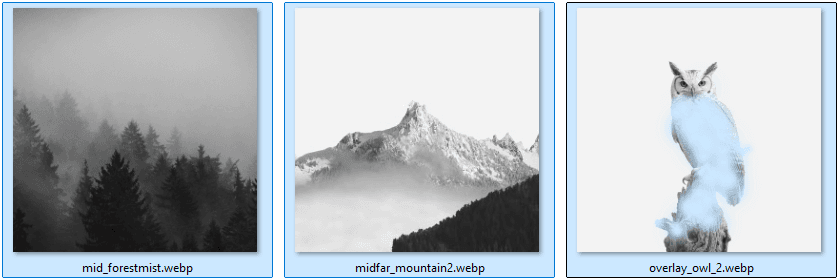
As you can see, only the overlay (the owl have transparency)
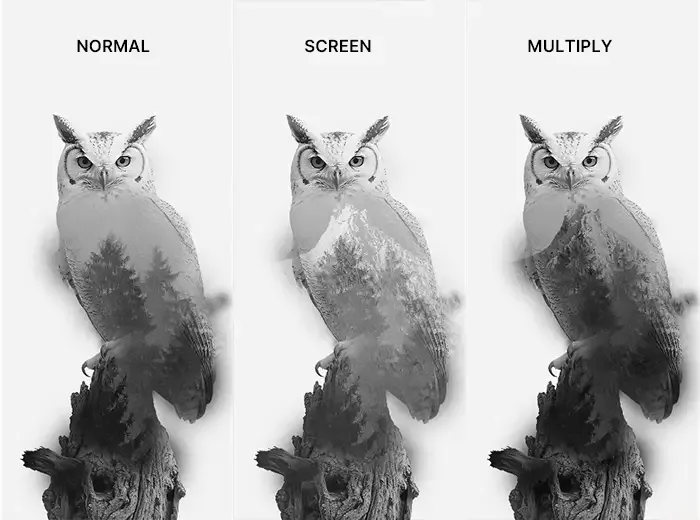
What is really interesting is that the mid_forestmist layer is in front of the mountain layer, in normal mode, we can't see through the plain picture, where in "screen" and "multiply" we can !
Overlays (Static PNG/WebP on Top)
Now you can stick a single overlay image on top of everything else.
Picture a transparent sticker that never moves with the orbit / parallax—it just sits there, always on top.
Use it for:
- Double exposure ( what we use here for demo )
- HUD frames
- UI corners
- Neon arcs
- Dust, film grain
- Title text
- Decorative borders
It’s super easy: load your PNG or WebP, set the opacity, pick a blend mode or not, and you’re done.
How It Looks in the Creator
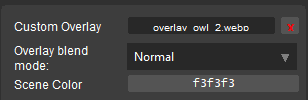
There’s a new “Overlay” section in the right panel. Pick your image, slide the opacity, choose a blend mode, and you’ll see the changes right away in the preview.
Everything saves with your .es file on export.
How It Works in the Android App
No extra steps. If a wallpaper uses these new features, the app just handles it.
The overlay sits on top of the final render, even when you use gyroscope or swipe with your finger.
Why This Update Matters
These are two finishing tools Eseer needed.
Blending modes give you better lighting, more drama, more depth.
Overlays let you add those last artistic touches, more style, and a real sense of identity.
You can now:
- Make wallpapers feel cinematic
- Add UI or sci-fi elements without the need to carve-out
- Add mood or atmosphere in seconds
Just these two features open up a whole new world of personality for your wallpapers.